
How much does an accessibility audit cost? Prices 2026 at a glance
Free tools, guided self-tests or expert audits: what it costs to test your website for accessibility, what drives the price and when a self-test is enough.
With the sitebrunch PDF editor you design accessible PDFs, convert Word files and create forms. Free, no sign-up and entirely in your browser.
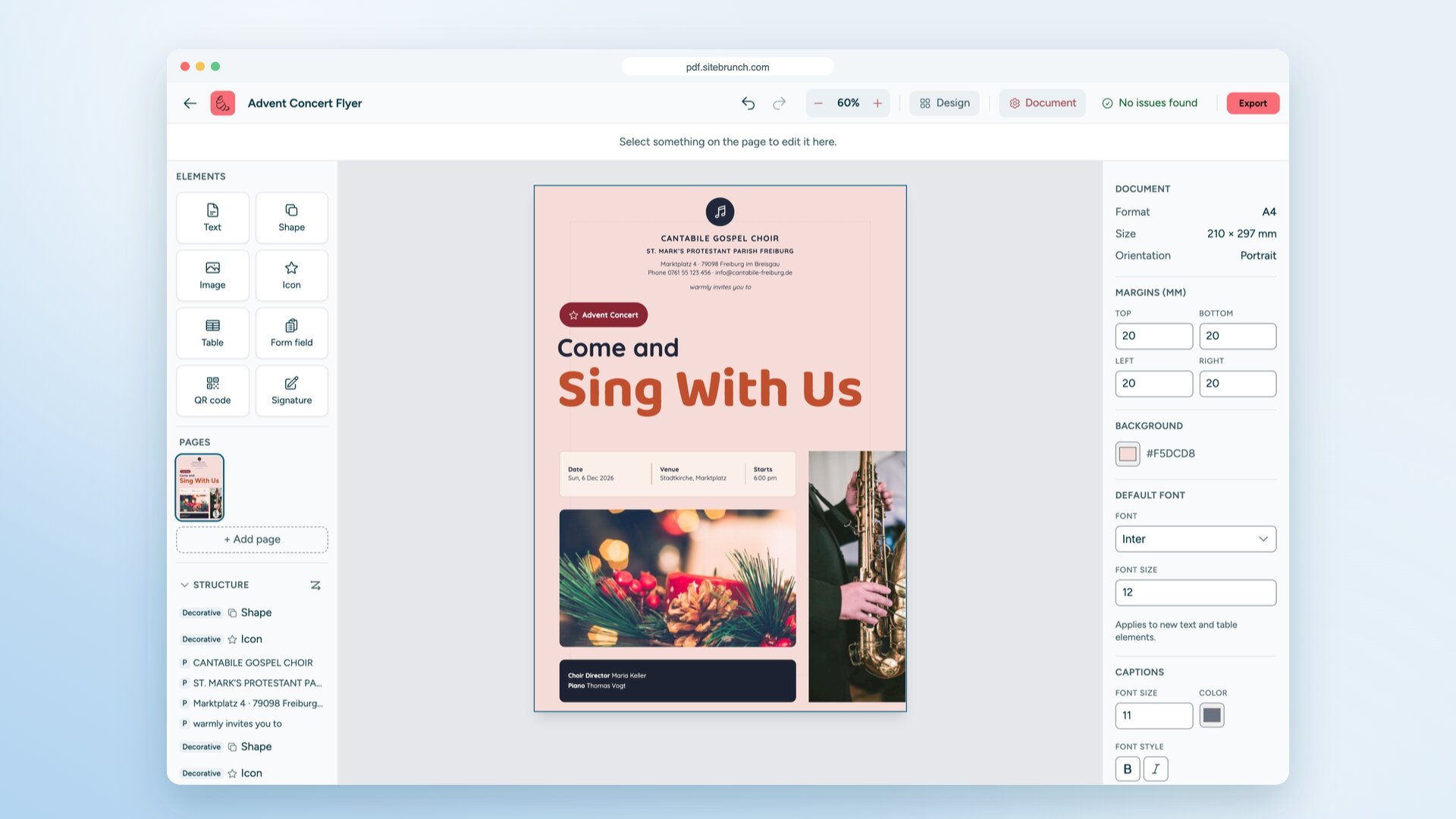
Today we are launching the sitebrunch PDF editor: a free tool for designing accessible PDFs, converting Word files into tagged PDFs and creating forms. The editor runs entirely in your browser. You don’t need an account, and your files are never uploaded.
Key points
The sitebrunch PDF editor is free, needs no sign-up and adds no watermark. You can find it at pdf.sitebrunch.com.
Every element gets a role such as heading, paragraph, image or table. On export, this becomes a tagged PDF with a structure tree and reading order.
While you design, the editor automatically checks alt text, heading levels, tables and WCAG contrast, even for text on photos.
You start with one of 15 templates, a blank page, a PDF or a Word file.
Your files stay on your device. You open, edit and export them right in your browser.
Since June 28, 2025, the European Accessibility Act has applied across the EU to certain products and services for consumers. For many companies, this can cover not only their website but also documents that belong to these offers. Public bodies have had to make their websites, apps and the documents offered there accessible for even longer.
In our PDF check, we see the same pattern every day: most PDFs are made in a design tool and only made accessible afterwards, if at all. Tagging after the fact needs expensive software and a lot of expertise. Many teams give up at that point.
We wanted to reverse the order. Anyone who designs a PDF should be able to build its structure at the same time. And the tool for that should cost nothing.
For every element, you set what it is: heading H1 to H6, paragraph, image, table, list or decorative element. You can show the reading order as numbers on the page and draw it again with your mouse. On export, the editor sets the title and language, embeds the fonts and creates bookmarks from your headings. More on the accessible PDF editor page.
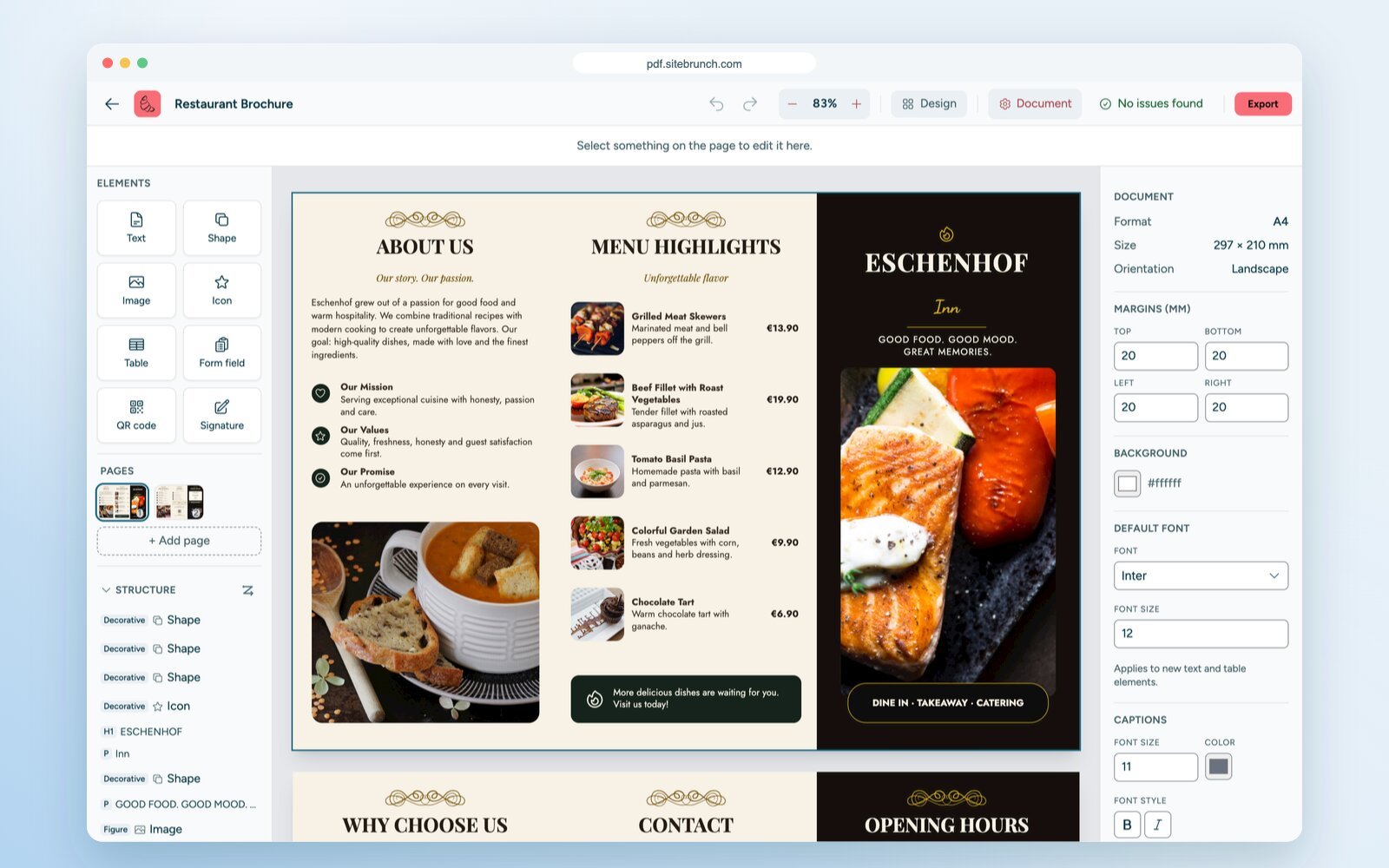
The editor flags missing alt text, skipped heading levels, a missing H1, tables without a header row and a missing title or document language. It calculates contrast according to WCAG, even for text on photos. To do this, it measures the colors in the image right behind the letters. Click a message to jump straight to the spot.
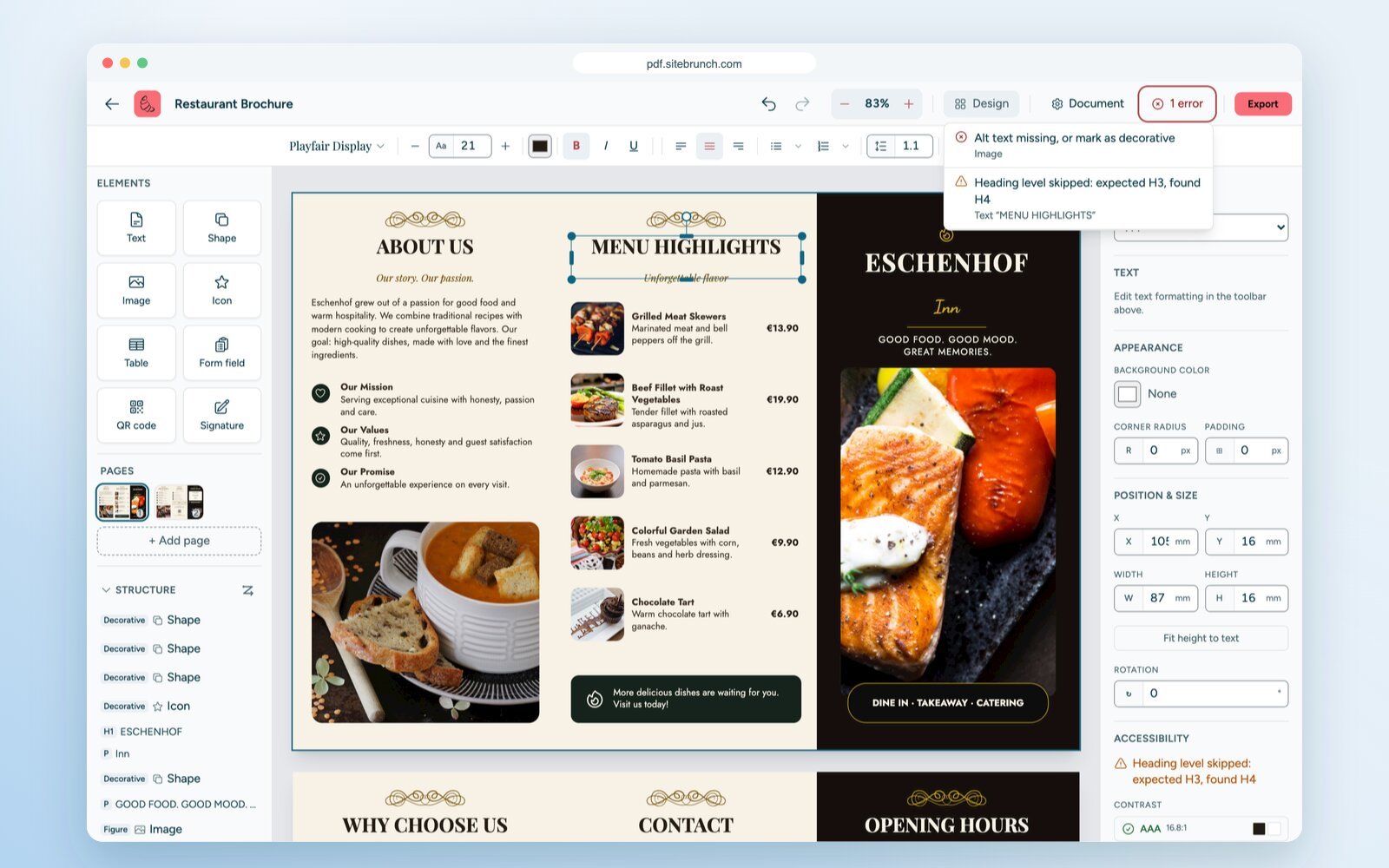
To start, there are 15 templates for flyers, posters, menus, brochures, invitations and cards. You also get almost 2,000 fonts, 324 icons, shapes, tables and QR codes. If you work with Canva, you will feel at home right away, and you end up with a PDF that screen readers read correctly. See the comparison on the Canva alternative page.
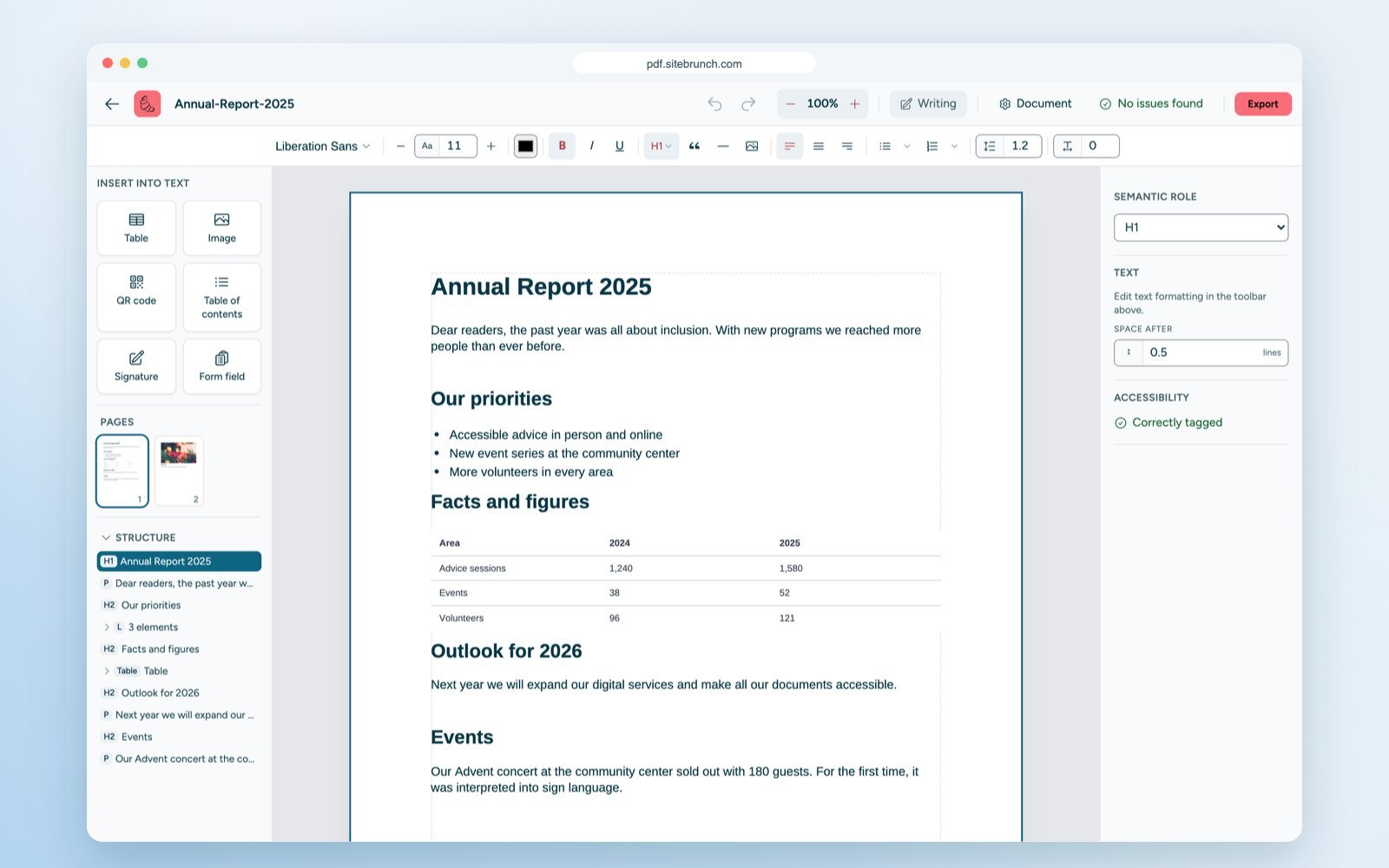
Drag a DOCX file into the editor. The conversion runs right in your browser. Headings, lists and tables from your Word styles become tags, and your alt text comes along. The document opens in writing mode, where you keep writing like in a word processor. See convert Word to an accessible PDF for a walkthrough.
Add text fields, checkboxes, radio groups and dropdowns. Every field has a label that screen readers read aloud, and people can fill it in right in the finished PDF. You can draw your signature, type it in a handwriting font or add it as a photo. The editor places it in the PDF with alt text. The create accessible documents page shows examples for different documents.
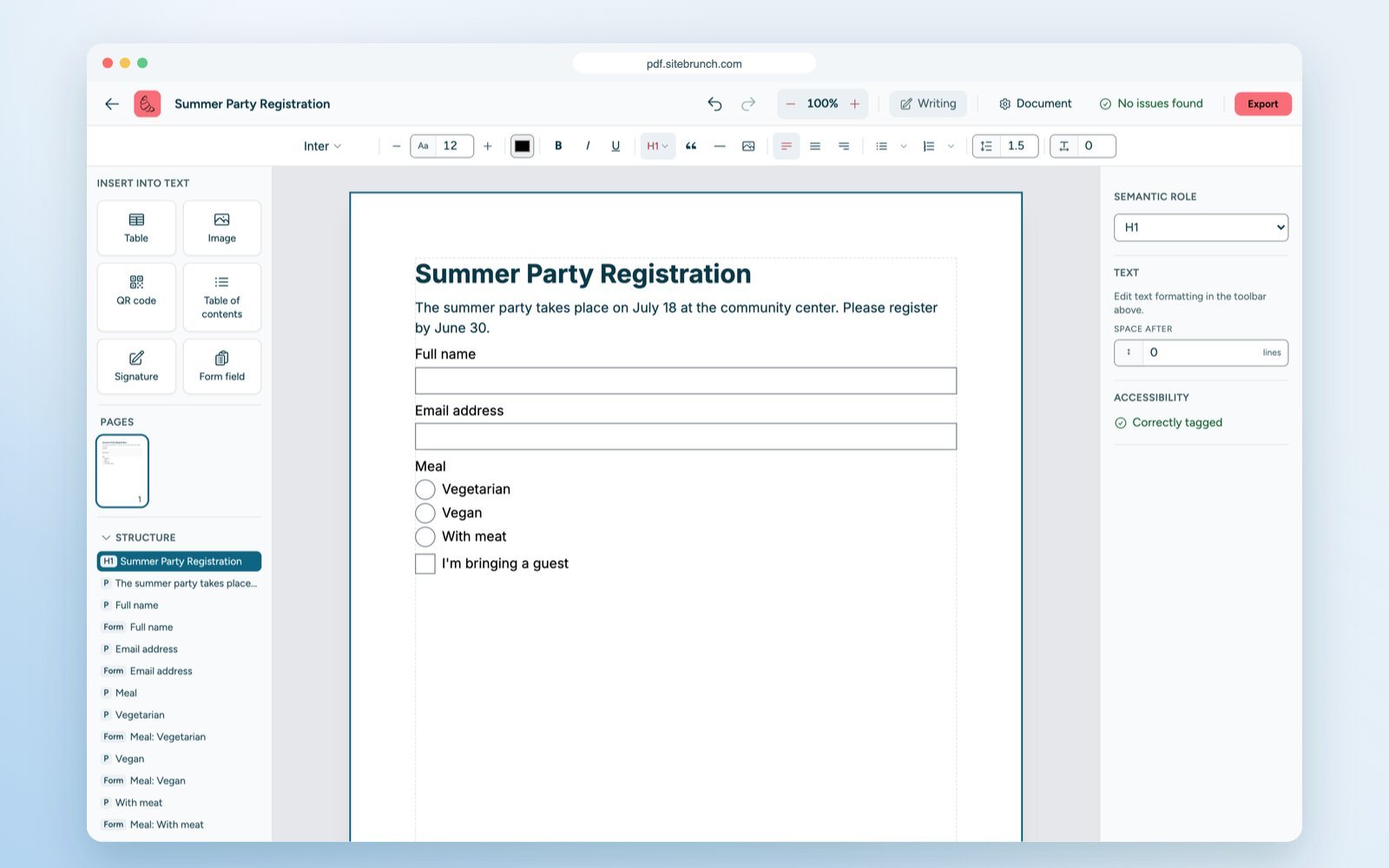
The editor needs no server for your files. It saves your projects in your browser. So you can also edit contracts, reference letters and other documents with personal data.
With the PDF editor, you create new accessible PDFs. For existing PDFs, such as every PDF on your website, there is the PDF check in the sitebrunch dashboard.
Feature | sitebrunch PDF editor | PDF check in the sitebrunch dashboard |
|---|---|---|
Purpose | Design and convert accessible PDFs | Check existing PDFs |
Checks | Automatic, while you design | PDF/UA with veraPDF, and WCAG |
Scope | One document at a time | Single PDFs or every PDF on your website |
Account | Not needed | Needed |
Price | Free | Free for 3 PDFs, more with a paid plan |
Read more about the check on the check PDFs for accessibility page.
Open pdf.sitebrunch.com in an up-to-date browser.
Choose a template, a blank page, a PDF or a Word file.
Give every element a role and write alt text for your images.
Work through the editor’s messages.
Export your tagged PDF.
Nothing. The editor is free. There is no sign-up, no watermark and no page limit.
No. You only need an account for the PDF check in the dashboard, for example if you want to check every PDF on your website.
Not automatically. The editor provides the technical structure, but good alt text and a sensible reading order depend on you. The automatic check helps you, but it does not replace a human review.
In your browser. They are not uploaded to our servers. If you clear your browser data, the projects are gone, so export important documents as PDF.
Yes. The interface is available in English and German. A new document takes its language from the interface, so English documents are tagged as English.
You cannot add comments or merge, split and rotate PDFs in the editor. It focuses on designing accessible PDFs.
Start today with sitebrunch and make sure your digital content is accessible.
Start for free (öffnet neuen Tab)Free tools, guided self-tests or expert audits: what it costs to test your website for accessibility, what drives the price and when a self-test is enough.
AI coding assistants like Claude Code can fix accessibility issues directly in code once they know where the issues are. How to connect Claude Code to your sitebrunch audits and what to keep in mind.
A WCAG test is a structured assessment of your website or web application against the Web Content Accessibility Guidelines (WCAG 2.2), the international standard for accessible web design. It shows you which barriers your content has, where you fall short of the legal requirements and what needs to happen next.