Skip to content

The Canva alternative for accessible PDFs

Design flyers, posters and menus as easily as in Canva. With accessibility built in, free, no sign-up and entirely in your browser.

Everything you know from Canva

Arrange freely, the way you are used to

Flexible

Layers and arrangement

Bring elements to the front or send them back, rotate, duplicate and lock them. Set opacity and corner radius for each element.

Fast

Keyboard shortcuts and undo

Move elements with the arrow keys. Hold Ctrl or ⌘ with the arrow keys to resize them. You can undo every step.

Multi-page

Pages and tables

Add more pages, merge table cells and place form fields or a signature right in the document.

With accessibility built in

Canva takes care of the look. The sitebrunch PDF editor also makes sure everyone can read your PDF.

Free, local and private

Free

No subscription, no watermark

Every feature is free. There is no pro plan, no watermark and no page limit.

No sign-up

No account needed

Open the editor and get started. No email address, no password, no newsletter.

Local

Everything stays in your browser

The editor saves your drafts in your browser. Nothing goes to the cloud.

Private

Safe for confidential content

Your files never leave your browser, so we never see them. You can also edit documents with personal data.

sitebrunch PDF editor vs. Canva

Canva is a design tool, but it is not built for accessible PDFs. PDFs from Canva do not meet PDF/UA. The reading order follows the layers, and Canva’s accessibility check only covers typography, contrast and alt text. The sitebrunch PDF editor is built for accessible PDFs from the ground up.

Feature

sitebrunch PDF editor

Canva

Role per element

Heading H1 to H6, paragraph, list, table, image or decorative element

Only headings for text elements

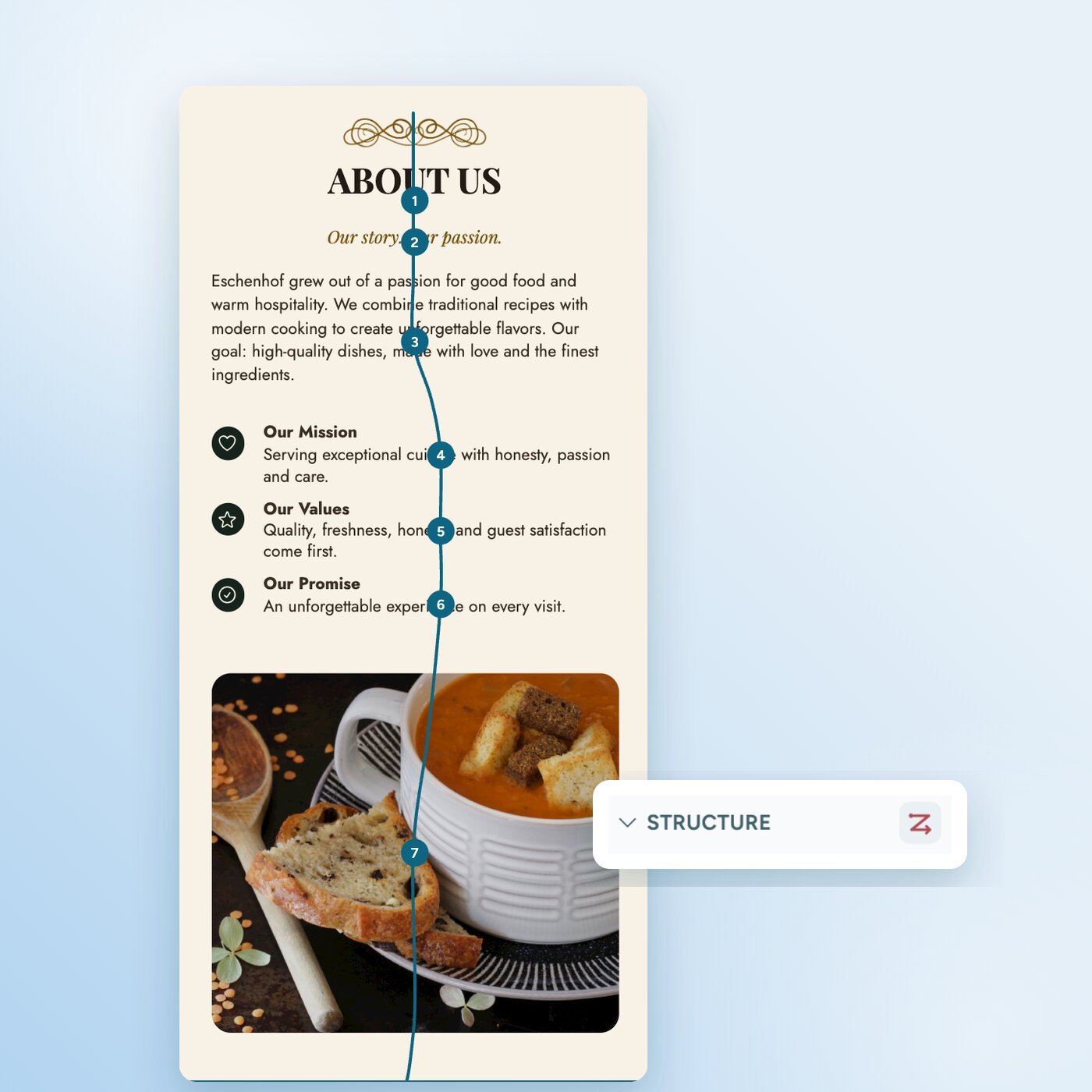
Reading order

Set freely, shown as numbers on the page

Follows the layer order

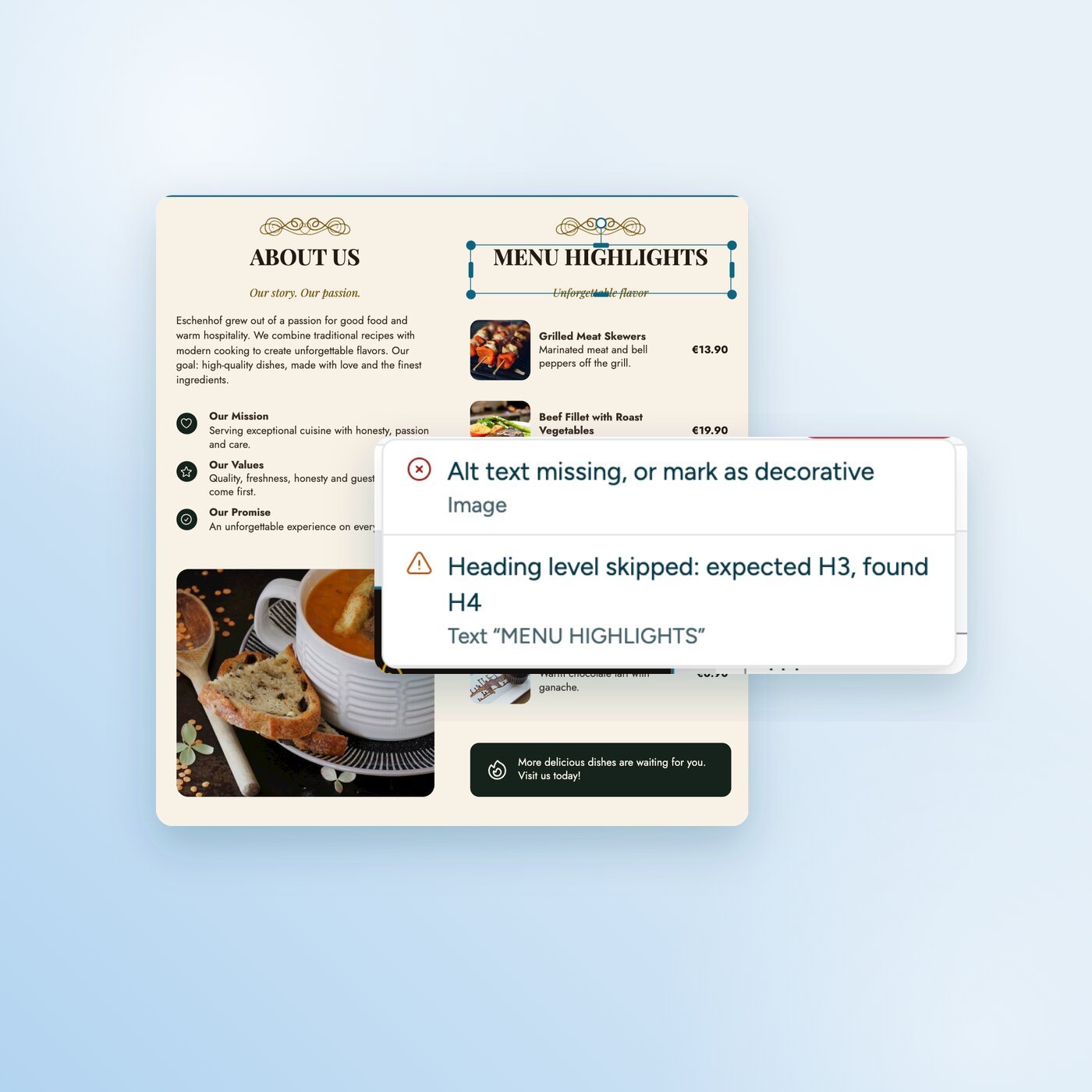
Checks

Contrast even on photos, alt text, heading levels, tables, title, language and QR codes

Typography, contrast and alt text

PDF export

Tagged PDF with PDF/UA structure

PDF with basic tags, not PDF/UA compliant

Sign-up

Not needed

Account needed

Storage

In your browser

In the Canva cloud

Price

Free, no subscription

Free plan, many features only with a subscription

As of September 2026. Information about Canva is based on the Canva help center and publicly available tests.

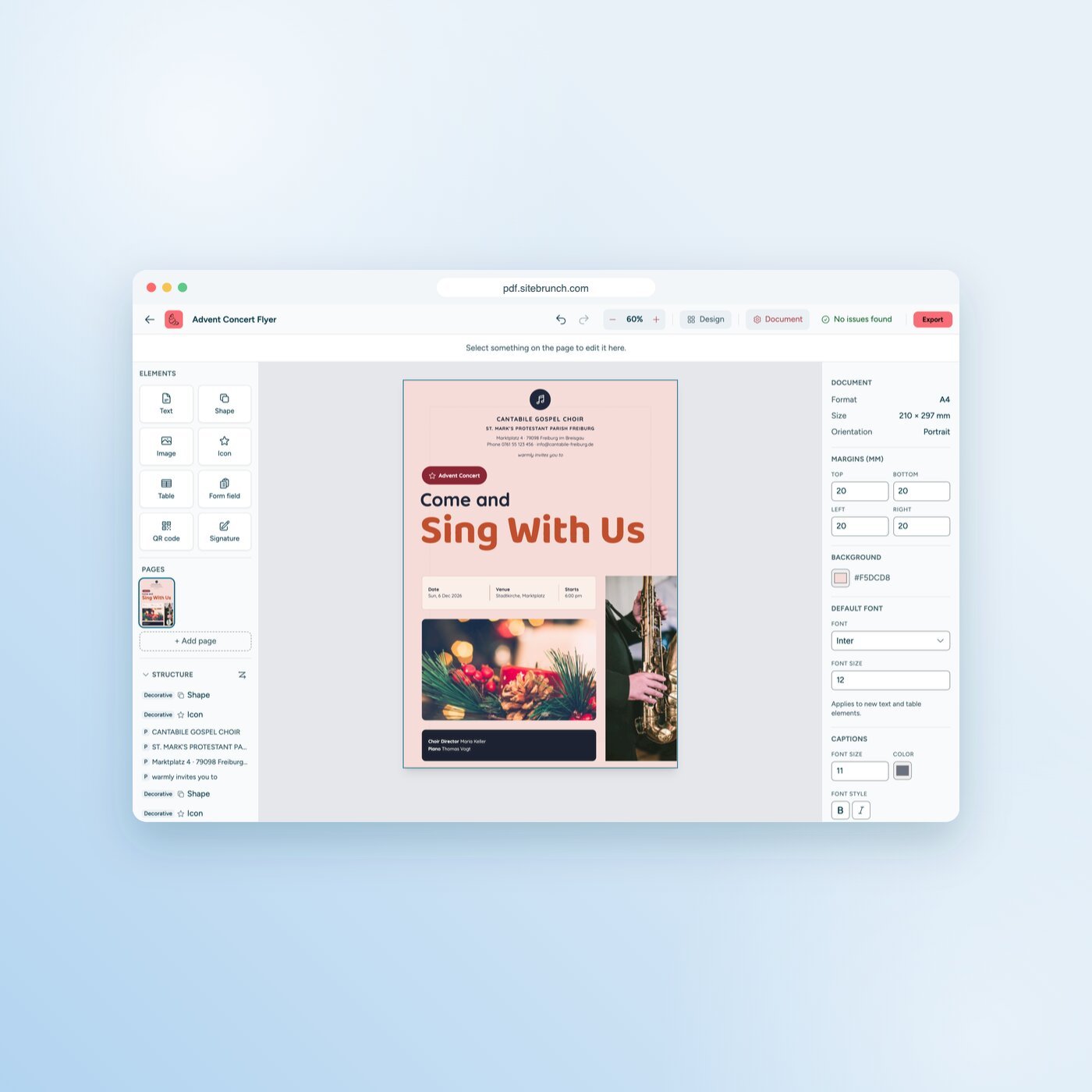
How to design an accessible flyer

Ready for your first accessible flyer?

Open the PDF editor and get started. Free, no sign-up and no upload.

Get started (öffnet neuen Tab)

Questions and answers