
How to create accessible PDFs: every option compared
Word, InDesign, Acrobat Pro, specialist tools, service providers or the free sitebrunch PDF editor: how to create accessible PDFs, and how to find the option that fits you.
Secure metrics and conversions, collect feedback directly on the website, test before go-live and compare afterwards: how to plan a relaunch that is measurably better.
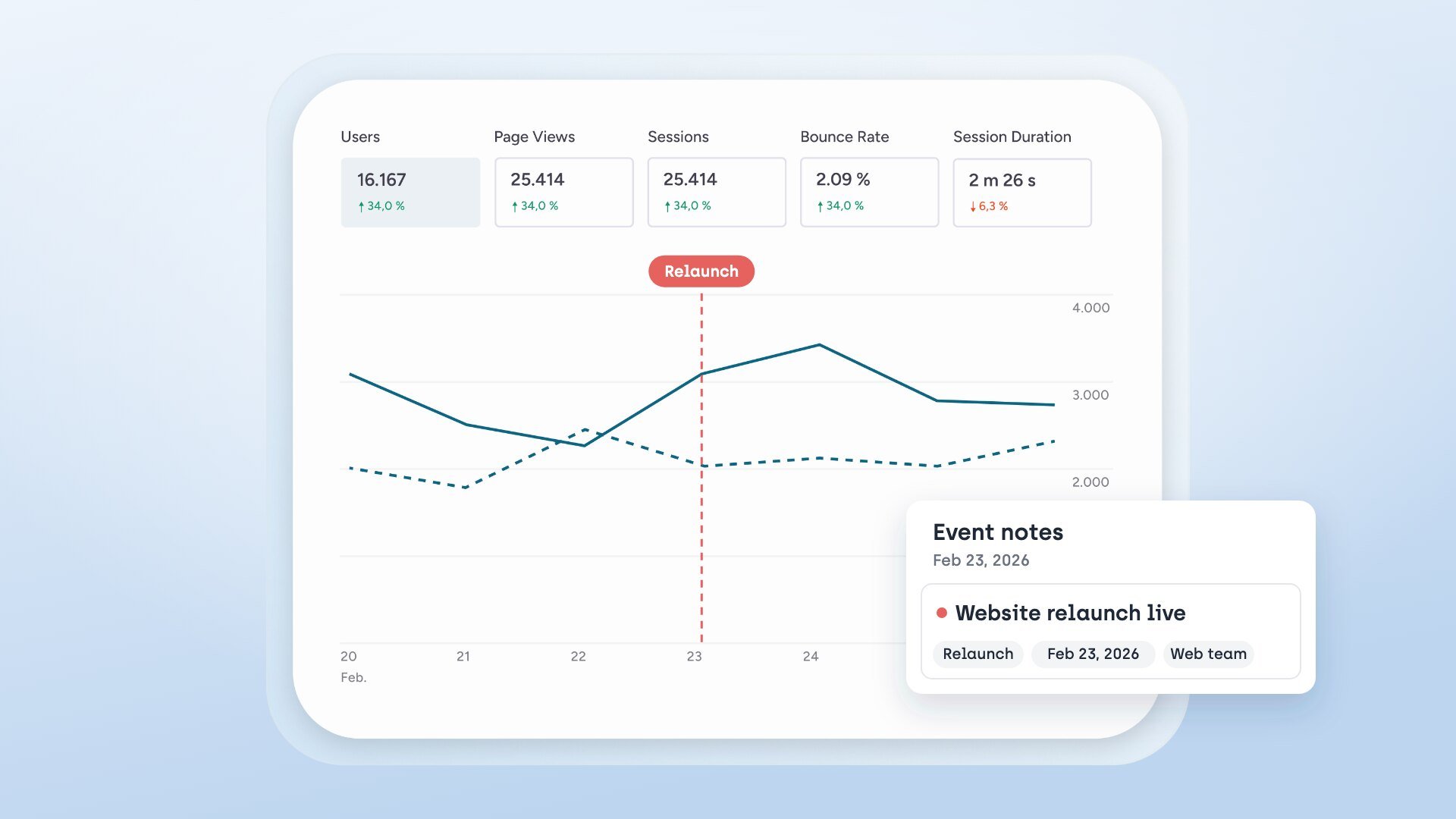
A relaunch is usually all about the new design. Most problems come from somewhere else, though: nobody recorded how the old website performed before the rebuild. During the review phase, feedback is scattered across emails, chats and screenshot PDFs. Accessibility only gets checked at the very end. And after go-live, there is nothing to compare against. That is why teams that relaunch well secure their metrics and conversions first, collect feedback directly on the website, test the new templates before go-live and monitor the new site from day one.
Key takeaways
Measure before the relaunch: Without metrics and conversions from the old site, there is no before-and-after comparison later.
Collect feedback on the element, not by email: Comments placed directly on the website with an automatic screenshot save follow-up questions and can be assigned.
Test the templates before go-live: An automated check finds obvious errors but does not replace a manual audit.
After go-live, compare conversions, not just clicks: What matters is whether the new site brings more enquiries or sales.
Monitor continuously: Deployments and new content can introduce new barriers at any time.
Your most important step comes before anyone builds a new template: record how the old website performs. At some point someone will compare "before" and "after", and then you need solid numbers, not memories.
To do this, add our code snippet to the HTML head of the existing website. From then on, our metrics record page views, bounce rate, device usage and more, cookie-free and hosted in the EU. The live click heatmaps show where visitors click and how far they scroll. The user flows show the most common paths through the site and the points where users drop off.
Page views alone say little about whether a website does its job, though. So set up goals on the old site already: purchases, sign-ups, leads, form submissions or clicks on key buttons. You select buttons and forms visually, without any development. sitebrunch then shows you the conversion rate, count and value per goal, and which channels drive the conversions. These are exactly the numbers you want to see again after launch.
A tip from practice: let tracking run for several weeks before launch. If key pages such as the product page, contact form or checkout get new addresses, create a list now of which old URL maps to which new one. Without that list, you cannot compare individual pages later.
A baseline for accessibility makes just as much sense. Our free accessibility check tests a single page in a few seconds with more than 80 automated WCAG tests based on axe-core and gives it a score from 0 to 100 percent. This shows you which errors the old site keeps making, so they do not reappear in the new design.
As soon as the first pages of the new site are up, the review begins. For many relaunches, this is the biggest time sink: management sends an email, marketing a screenshot with red arrows, sales a chat message. In the end, nobody knows exactly which spot someone meant or whether it has already been done.
With our comment feature, your team leaves feedback directly on the element on the website that it is about:
Place a comment. In the sitebrunch browser extension, press C to switch to comment mode and click the spot you mean.
The screenshot is automatic. For every comment, sitebrunch creates a screenshot with a timestamp. So it stays clear what the page looked like at that moment.
Assign the task. You tag the person responsible, and they are notified by email. If you like, the comment becomes a task in awork straight away.
Implement with AI. Through the MCP server, you pass comments to AI coding assistants such as Claude Code or OpenAI Codex. Because the comment is attached to the element, the assistant finds the right place in the code.
The extension's comment view shows all comments for a page in one place, your own and your team's. The comment feature is included in every plan, including the free plan.
A relaunch is the cheapest moment for accessibility. What you build into the templates now, you will not have to fix later across hundreds of pages. Automated tests only cover part of it, though. Whether the site can be used with a keyboard or a screen reader only shows up in a manual test. So plan time before go-live for an audit against EN 301 549 and WCAG 2.2.
Kick-off audit for the most important templates. This is a shortened audit with the most important test steps. After about one person-day, you know where the new site stands. Start with the pages that many other pages are built on: home page, product page, form, checkout.
Full audit if you need to prove conformance. It covers all 96 test steps of EN 301 549 and WCAG 2.2.
Turn findings into tickets. You export findings to Jira, Notion or Asana, or have technical findings fixed directly in the code through the MCP server.
Re-audit after the fixes. The re-audit carries over all previous findings. You tick off what has been fixed.
For many companies, this is not optional. The German Accessibility Strengthening Act (BFSG) has applied since 28 June 2025 to certain consumer services, such as online shops and banking services. What matters for a relaunch: content revised after that date no longer falls under the archive exemption in Section 1 (4) No. 5 BFSG. Anything you move into the new system and adapt along the way must therefore meet the requirements.
A common mistake is starting the audit the day before launch. Then there is no time left for the fixes.
On launch day, add a note in the metrics marking when the new site went live. After that, you compare time periods and pages directly. Ideally compare periods of the same length and a similar season, otherwise you are measuring summer instead of the relaunch.
Look at your goals first: is the conversion rate rising, are more enquiries or sales coming in, and from which channels? With multi-step funnels you see step by step where visitors drop off, for example in the new checkout. The heatmaps show whether the new calls to action get clicked. The user flows show whether the new navigation loses visitors earlier than the old one. You export the results as .csv or .pptx, for example for the steering committee presentation.
For accessibility, WCAG monitoring takes over this job. It checks every page against more than 80 WCAG rules, sorts violations by severity and shows you the trend week by week. A relaunch often creates many new URLs. From the Starter plan upwards, monitoring detects new pages and checks them automatically: up to 100 URLs on the Starter plan, 250 on the Solo plan and 600 on the Agency plan.
Task | What you need | Plan according to our pricing page |
|---|---|---|
Feedback in the review phase | Comments on the element, screenshots, awork, MCP server | Free and up |
Metrics and before-and-after comparison | Metrics, heatmaps, user flows, goals and conversions | Starter, €9 per month |
Testing before go-live | Kick-off audit and full audit, e.g. for the product template | Solo, €49 per month, 1 active audit at a time |
Monitoring with automatic detection of new pages | e.g. for the new category pages after launch | Starter and up |
Agency with several client projects | 2 active audits at a time, generator for the accessibility information | Agency, €149 per month |
The Solo plan fits a relaunch. It covers everything in this article: securing metrics and goals, collecting feedback, the audit before go-live and monitoring afterwards. Book it on the pricing page while the old website is still online. Only then will you have something to compare against on launch day.
Yes. Create a separate project in sitebrunch for the preview, for example staging.your-domain.com. That way you collect feedback on the new website separately from the live site.
No. An automated check is not a legal assessment and not proof of conformance. It shows obvious problems, for example missing alt texts for images or form fields without labels. For everything else you need the manual audit.
Then we test it for you. In around four weeks you get a report, a draft accessibility statement and a prioritized action plan. The price depends on how many pages, templates and PDFs are tested. Agencies can also resell the audit to their clients as a white-label service.
Start today with sitebrunch and make sure your digital content is accessible.
Start for free (opens in a new tab)Word, InDesign, Acrobat Pro, specialist tools, service providers or the free sitebrunch PDF editor: how to create accessible PDFs, and how to find the option that fits you.
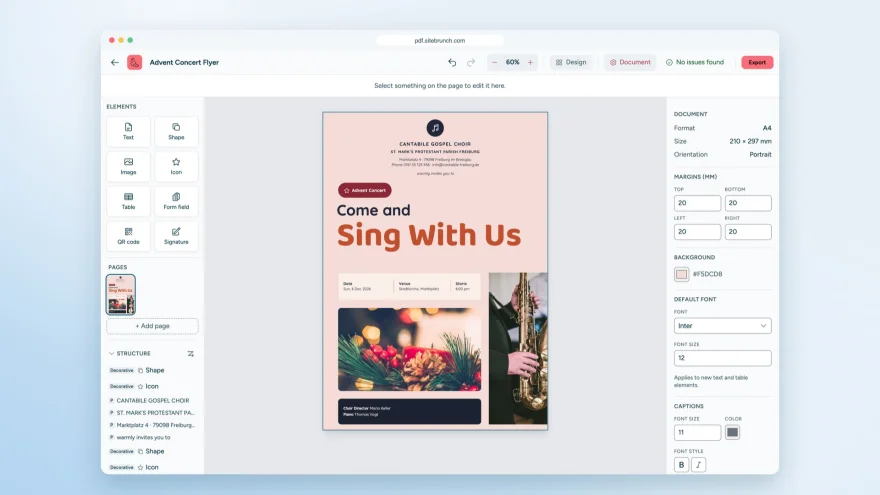
With the sitebrunch PDF editor you design accessible PDFs, convert Word files and create forms. Free, no sign-up and entirely in your browser.
Free tools, guided self-tests or expert audits: what it costs to test your website for accessibility, what drives the price and when a self-test is enough.