
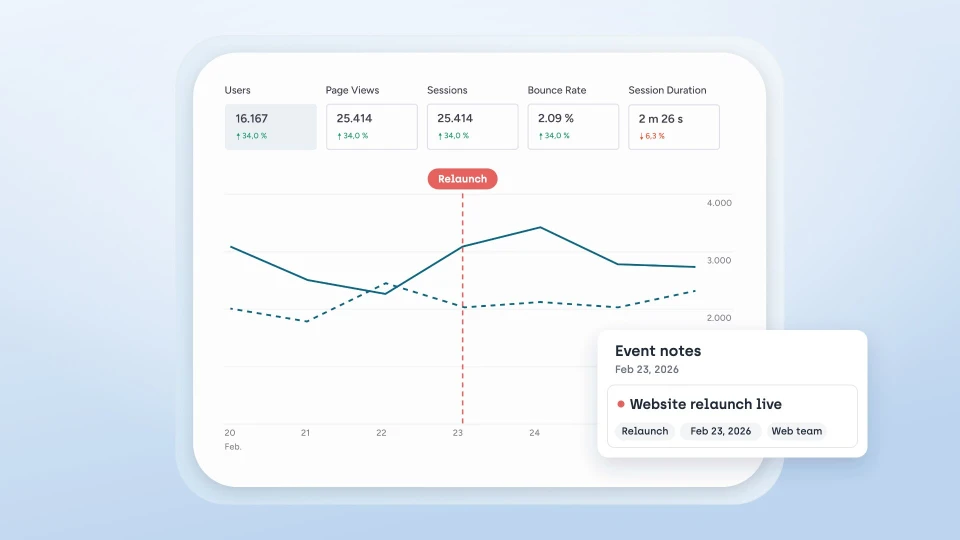
Planning a website relaunch? What to watch before, during and after go-live
Secure metrics and conversions, collect feedback directly on the website, test before go-live and compare afterwards: how to plan a relaunch that is measurably better.
Overlay, scanner, dev tool or analytics platform? The accessibility market is crowded and confusing. We map the main categories and show honestly where sitebrunch fits better and where established vendors keep the edge.
Anyone setting out to make a website accessible quickly runs into a thicket of tools that all seem to promise the same thing: fast compliance, less risk, a better user experience. In reality these tools do very different things. Some hide problems in the browser, some find them, some fix them, and some only measure how people use the site.
In this article we sort the market into four categories and show where sitebrunch makes a real difference. There are strong, experienced vendors, and in some areas they are ahead of us. That is exactly why it pays to understand the differences instead of just comparing marketing promises.
Overlays and widgets: a snippet of code changes the page in the browser and adds a menu. Examples: accessiBe, UserWay, AudioEye, Eye-Able Assist.
Scanners and monitoring platforms: they crawl pages automatically, report WCAG violations and show a score. Examples: Deque axe, Siteimprove, Level Access, Pope Tech, Silktide.
Developer tools: open-source testing engines for developers, such as axe-core, Lighthouse or Pa11y.
UX and analytics tools: heatmaps, session data and user flows. Examples: Hotjar, Microsoft Clarity, Plausible.
sitebrunch is deliberately not a single category. We combine guided WCAG audits, automated monitoring, PDF checking, AI-assisted fixing in your code and privacy-first UX analytics in one tool. What that means in practice becomes clearest in the comparison.
Overlays are added with a single line of JavaScript and promise compliance almost at the push of a button. The catch: they only change the page at runtime in the browser. The actual source code stays untouched, and the built-in adjustments can clash with the assistive technology people already use.
This criticism is well documented. The Overlay Fact Sheet, signed by more than 1,000 accessibility professionals, advises against overlays. A WebAIM survey found that a large majority of respondents with disabilities rated overlays as not very or not at all effective. And in 2025 the US Federal Trade Commission imposed a one million dollar penalty on accessiBe for deceptive claims that an AI product could make any website compliant. Germany's official accessibility monitoring bodies have likewise stated that overlays cannot make a non-accessible site accessible.
sitebrunch is intentionally the opposite of an overlay. Instead of masking problems in the browser, we fix them at the source, in the code. The fixes work with existing assistive technology and persist even when the subscription ends.
Platforms like Deque axe, Siteimprove, Level Access, Pope Tech and Silktide are solid tools. They crawl pages, report WCAG violations and provide scores and dashboards.
Two things stay the same across almost all of them, though. First, they find and report, but they do not fix. The actual remediation lands as a backlog with the developers. Even newer AI features usually stop at suggestions that have to be applied by hand. Second, pricing is often opaque and enterprise-oriented, meaning per page or per seat and only on request.
sitebrunch covers the monitoring layer (a 0 to 100 score per page and site-wide, quick wins with estimated impact, automatic page discovery via the sitemap, regression detection, publicly shareable reports without login) and on top of that closes the gap on fixing. Our MCP server is what makes this possible: instead of handing the findings to your team as a backlog, sitebrunch passes them straight to your AI coding assistant (for example Claude Code, Cursor or GitHub Copilot). For each finding it receives the CSS selector, the problem description, a screenshot and a concrete solution, and corrects the issue directly in the source code. How exactly this works, and why limiting the scope is decisive here, is something we show further down. On top of that comes fair, flat pricing with unlimited users, projects and domains.
axe-core, Lighthouse and Pa11y are excellent, mostly free tools for developers. Worth knowing: Lighthouse uses axe-core itself for its accessibility checks. sitebrunch is also built on axe-core and uses it to test more than 80 WCAG rules.
So these tools are more our ingredient than our rival. What matters is the honest ceiling of automated testing: depending on how you count, only around 30 to 40 percent of WCAG success criteria can be checked automatically. Roughly half of all barriers need human judgment. That is exactly why sitebrunch complements automated checks with a guided manual audit of 96 test steps, each with videos, examples and solution templates, so that people without prior knowledge can test for themselves.
For testing directly on the page there is the sitebrunch browser extension. It turns any URL into a live workspace, with no code, no snippet and no detour through staging, and it works on localhost or behind logins too. With the Magic Cursor you read off contrast (including a WCAG rating), typography, ARIA role, accessible name and keyboard focusability on hover, without DevTools. On top of that come guided audits to WCAG and EN 301 549, more than 20 built-in testing tools (such as a headings map, landmarks, tab order, contrast picker or alt-text view) and comments placed directly on the page, like Figma, but live. Findings, screenshots and progress sync automatically with your sitebrunch project. The browser extension itself is free.
The heart of sitebrunch is the MCP server. With it you connect your AI coding assistant (for example Claude Code, Cursor, Windsurf, GitHub Copilot or OpenAI Codex) directly to your audit findings. For each finding the agent gets a CSS selector, a problem description, a screenshot and a concrete solution, and fixes the issue directly in the code.
Grounded, not guessed: generic prompting of Cursor or Copilot is unreliable. Studies show that only a small share of purely AI-generated UI code meets basic accessibility. Real findings with a selector and a verified solution beat that decisively.
Clearly bounded scope: sitebrunch only fixes technical and structural issues (alt text, ARIA, headings, form labels, landmarks) and deliberately leaves content and design decisions to humans. A wrong fix is worse than no fix.
Documented and embedded: every fix is automatically documented as a comment on the finding. And the fix loop does not sit in an isolated plugin, but inside a complete product spanning audit, monitoring, collaboration and UX analytics.
Tools like Hotjar, Microsoft Clarity or Contentsquare deliver heatmaps and session data, but usually require cookies and a consent banner. Privacy-friendly alternatives like Plausible or Fathom avoid cookies, but in turn offer no real heatmaps or user flows. And the decisive point: none of these tools check accessibility.
This is exactly the gap sitebrunch fills. We provide click and scroll heatmaps, user flows with automatic UTM detection and the key metrics, all of it privacy-friendly, cookieless and without a cookie banner. Accessibility and user experience live in one tool instead of two separate worlds.
Teams that want to do more than see findings and instead fix them directly in code, rather than managing an endless backlog.
Organizations that need accessibility and UX analytics from a single source, GDPR-compliant and EU-hosted.
Agencies and companies that prefer a fair flat-price model with unlimited users over opaque enterprise quotes.
Teams without deep accessibility expertise who want to get started themselves thanks to guided test steps, instead of waiting for an expensive external audit.
Teams where accessibility should really take root: with sitebrunch's training and e-learning content, staff build the fundamentals themselves, so that accessibility becomes a fixed part of everyday work instead of expertise that has to be bought in externally for good.
Overlays mask, scanners find, dev tools test, analytics tools measure. sitebrunch connects these steps and adds what is most often missing: the actual fixing in code and a view of the user experience, privacy-friendly and hosted in the EU. If you want to do more than prove accessibility and actually improve it, you get an end-to-end path here.
Want to see it for yourself? Start a free accessibility test and get a WCAG report with concrete recommendations in just a few minutes.
Start today with sitebrunch and make sure your digital content is accessible.
Start for free (opens in a new tab)Secure metrics and conversions, collect feedback directly on the website, test before go-live and compare afterwards: how to plan a relaunch that is measurably better.
Word, InDesign, Acrobat Pro, specialist tools, service providers or the free sitebrunch PDF editor: how to create accessible PDFs, and how to find the option that fits you.
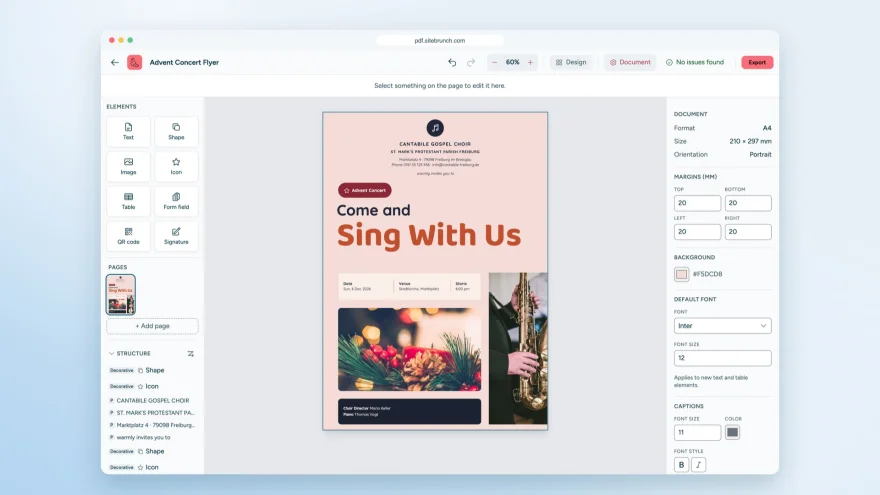
With the sitebrunch PDF editor you design accessible PDFs, convert Word files and create forms. Free, no sign-up and entirely in your browser.