
The snippet is a short piece of code that you add to your website once. After that, sitebrunch counts every visit. This article shows you how.
Last updated: October 2, 2026
Requirements
You have created a project with the focus User Experience or Both.
You can edit your website's code, or you have someone who does it for you. For example your agency or your developers.
Copy the snippet
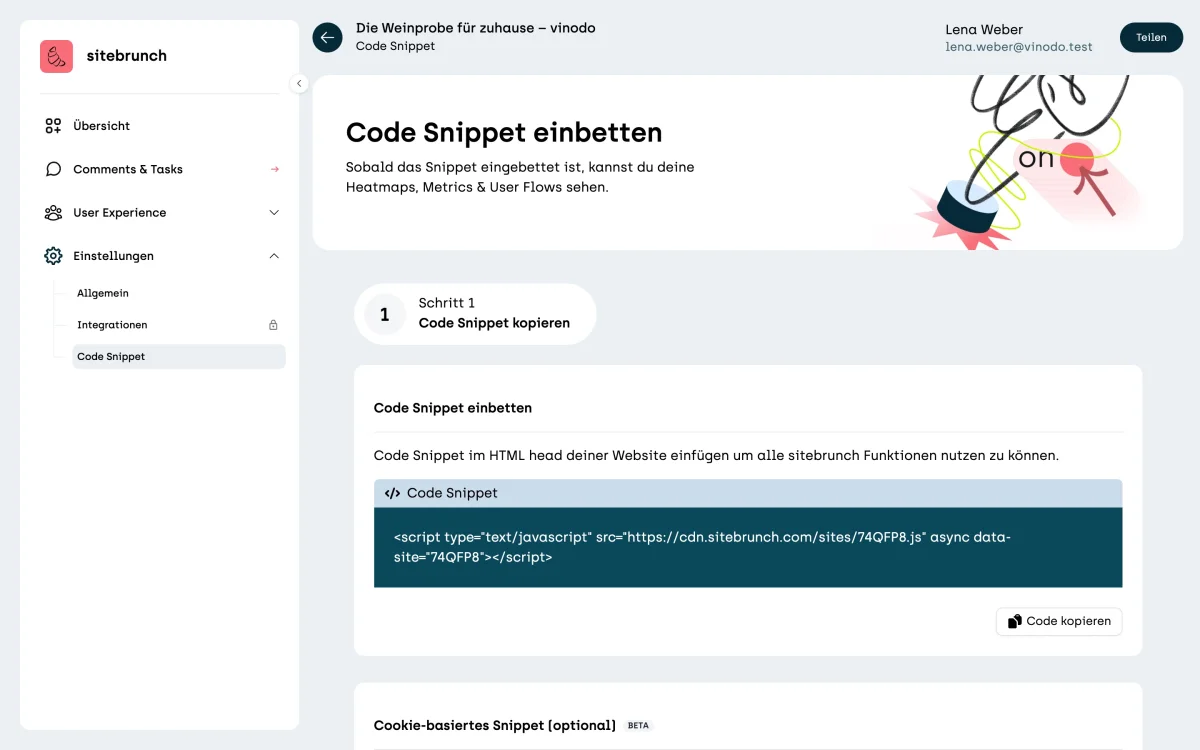
Right after creating the project, you are already on the right page. Later you'll find it in the menu under “Settings” in “Code Snippet”.
Under “Step 1 Copy code snippet” you'll find your personal code. Click “Copy code”.
Add the snippet
Paste the code into the HTML head of your website, that is, the area between <head> and </head>. It must load on every page. Most shop systems and CMSs have a field for custom code in the header for this.
Add the privacy text
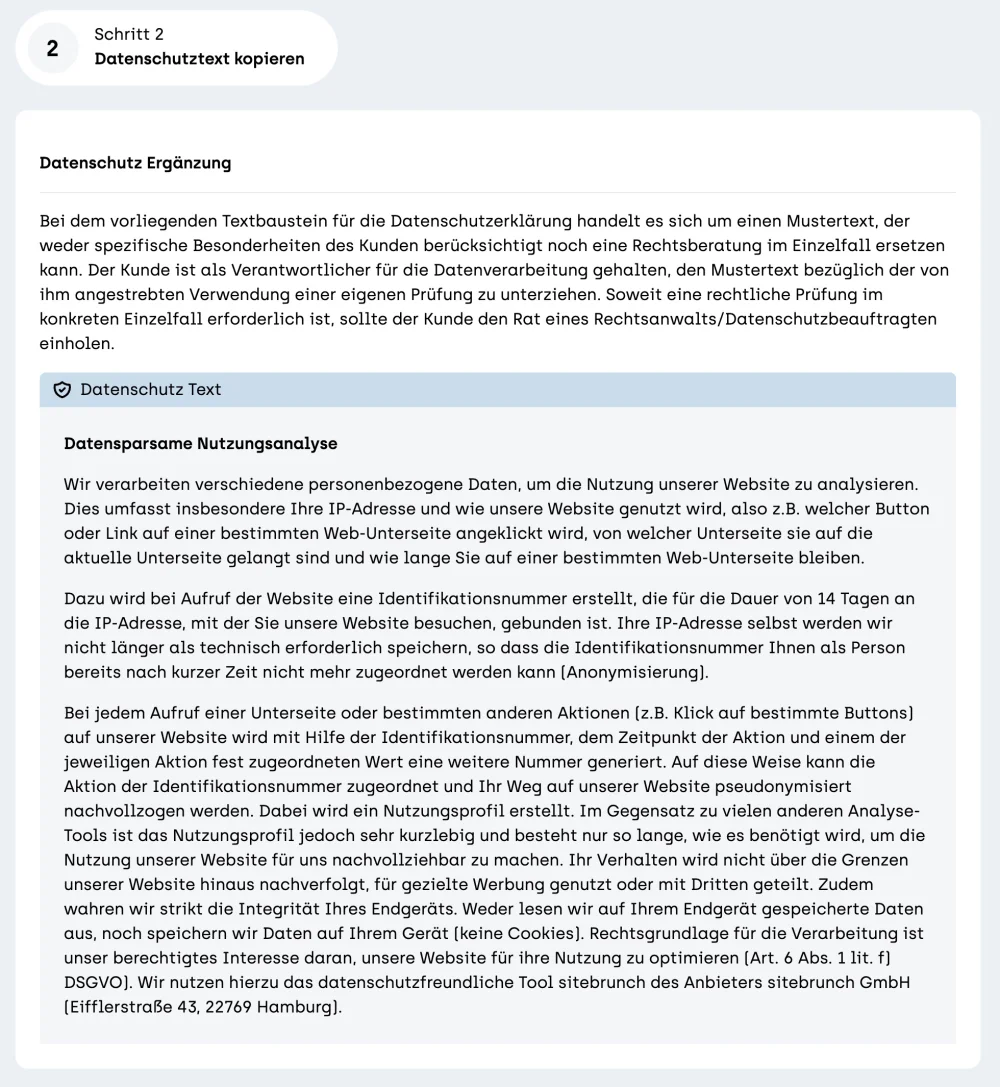
Under “Step 2 Copy privacy text” you'll find a sample text for your privacy policy. Copy it and check whether it fits your website. The text is not a substitute for legal advice.
Check that it works
As soon as the first visit to your website comes in, sitebrunch knows the snippet is installed. The page doesn't refresh by itself. Reload it, and step 1 is ticked off.
The next article explains what you'll then see in the overview.