
After the first full week, the overview shows you at a glance how your website is doing. This article explains each section.
Last updated: October 2, 2026
Requirements
The snippet is installed.
Your website has had visits for at least a week.
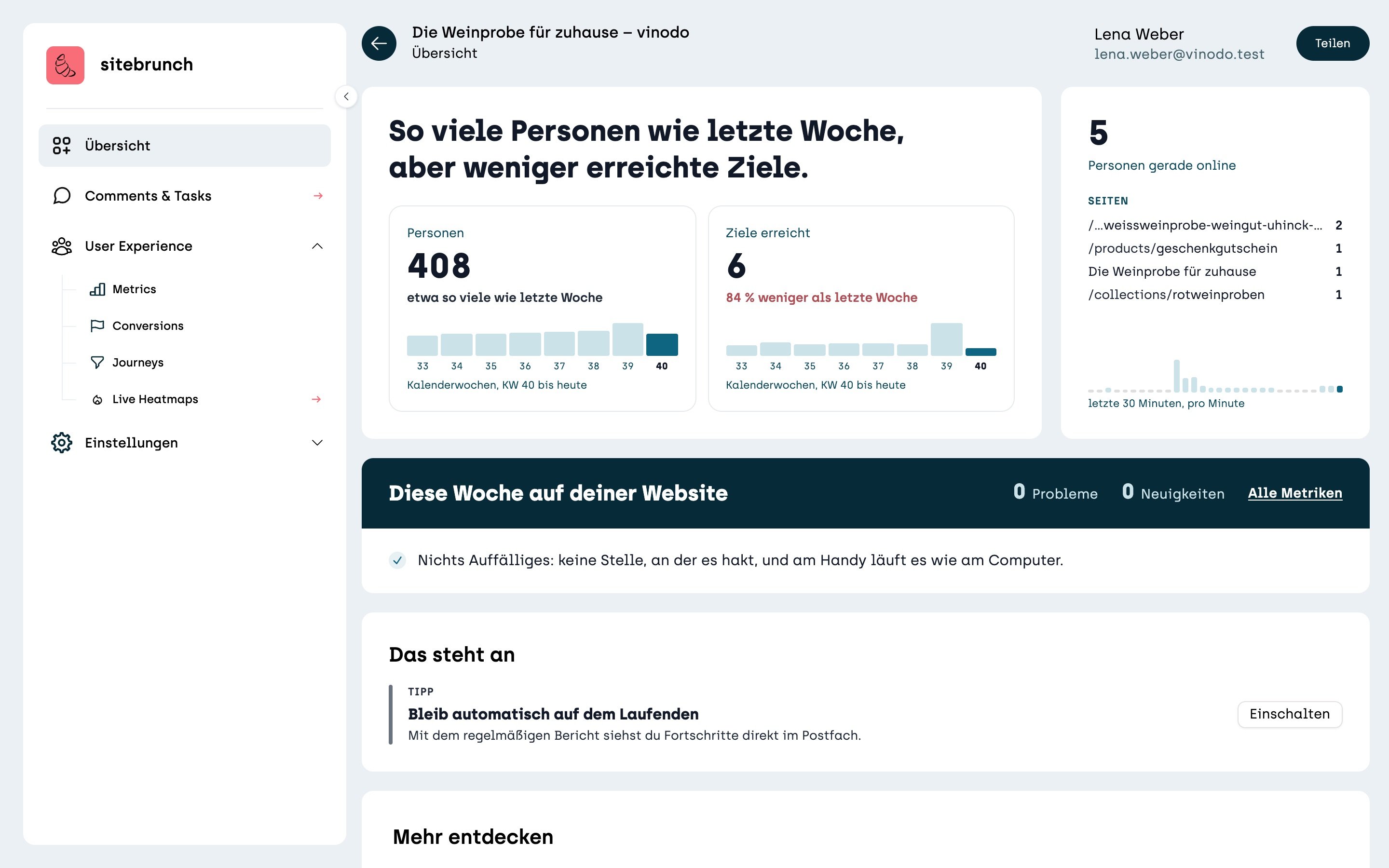
The sentence at the top
At the top, sitebrunch sums up your week in one sentence. For example: “As many people as last week, but fewer goals reached.” That way you know right away whether you should take a closer look.
People and goals reached
The “People” tile shows how many people were on your website this week. Below it you see how that has changed compared with last week. If it is clearly fewer, the note is shown in red.
The “Goals reached” tile counts how often your goals were reached, for example orders. The bars show the last eight calendar weeks. The dark bar is the current week up to today.
People online right now
On the right you see how many people are on your website right now and which pages they are looking at. The bars below show the last 30 minutes, per minute.
This week
Here sitebrunch collects what stood out this week, for example spots where visitors get stuck. If everything is fine, it says “No problems found”. “All metrics” takes you to the detailed numbers.
Worth a look
Below that, sitebrunch suggests what you can do next. For example “Stay in the loop automatically”: with “Turn on” you get a regular report by email.