
The overview changes while your project gets going. This article shows you what you see before you install the snippet, shortly after, and in the first few days.
Last updated: October 2, 2026
Requirements
You have created a project with the focus User Experience or Both.
Open the overview from the menu at the very top under “Overview”.
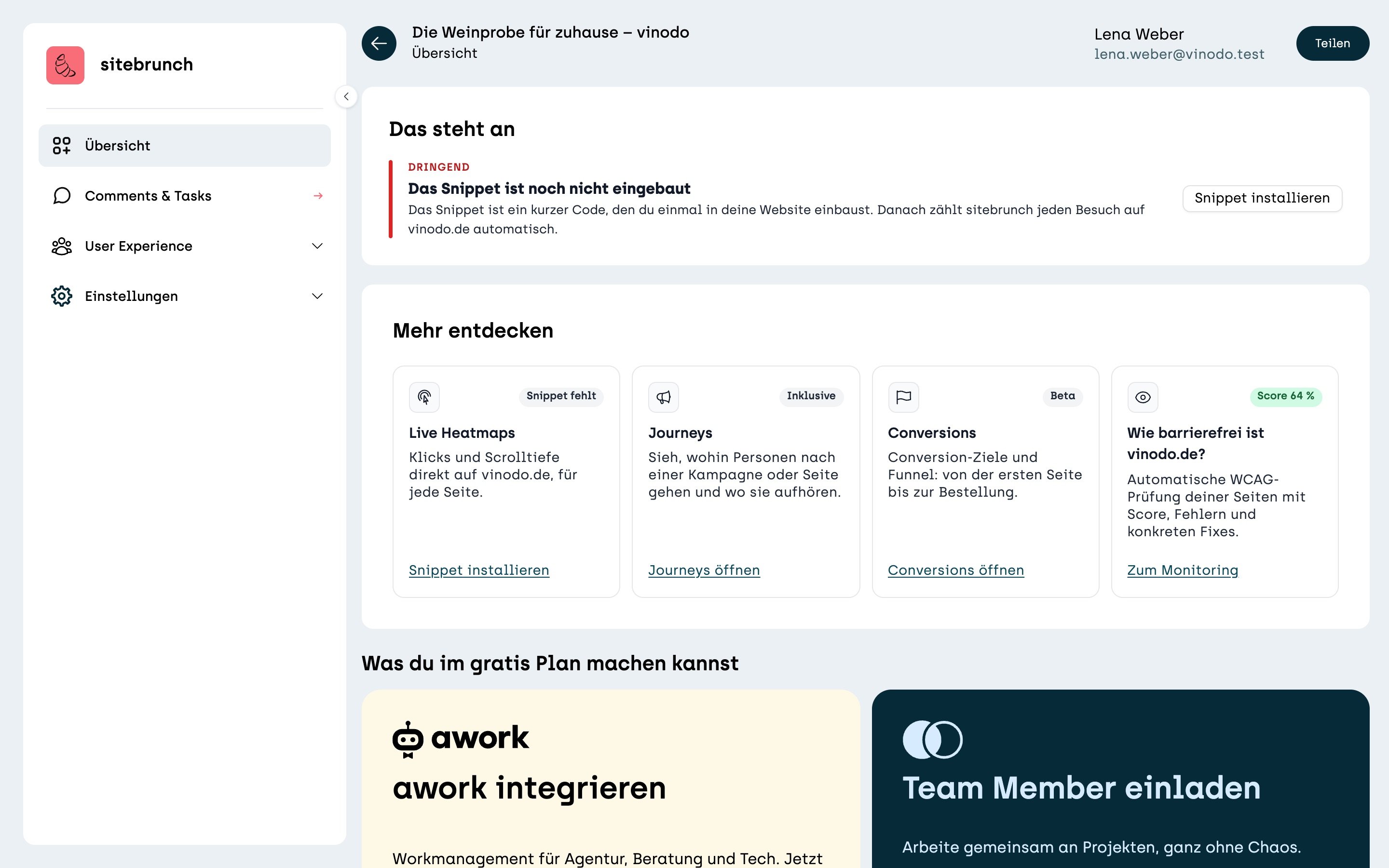
The snippet is still missing
As long as no visit from your website has arrived, “The snippet is not installed yet” appears at the top under “Worth a look”. The “Install snippet” button takes you straight to the code.
Waiting for the first visit
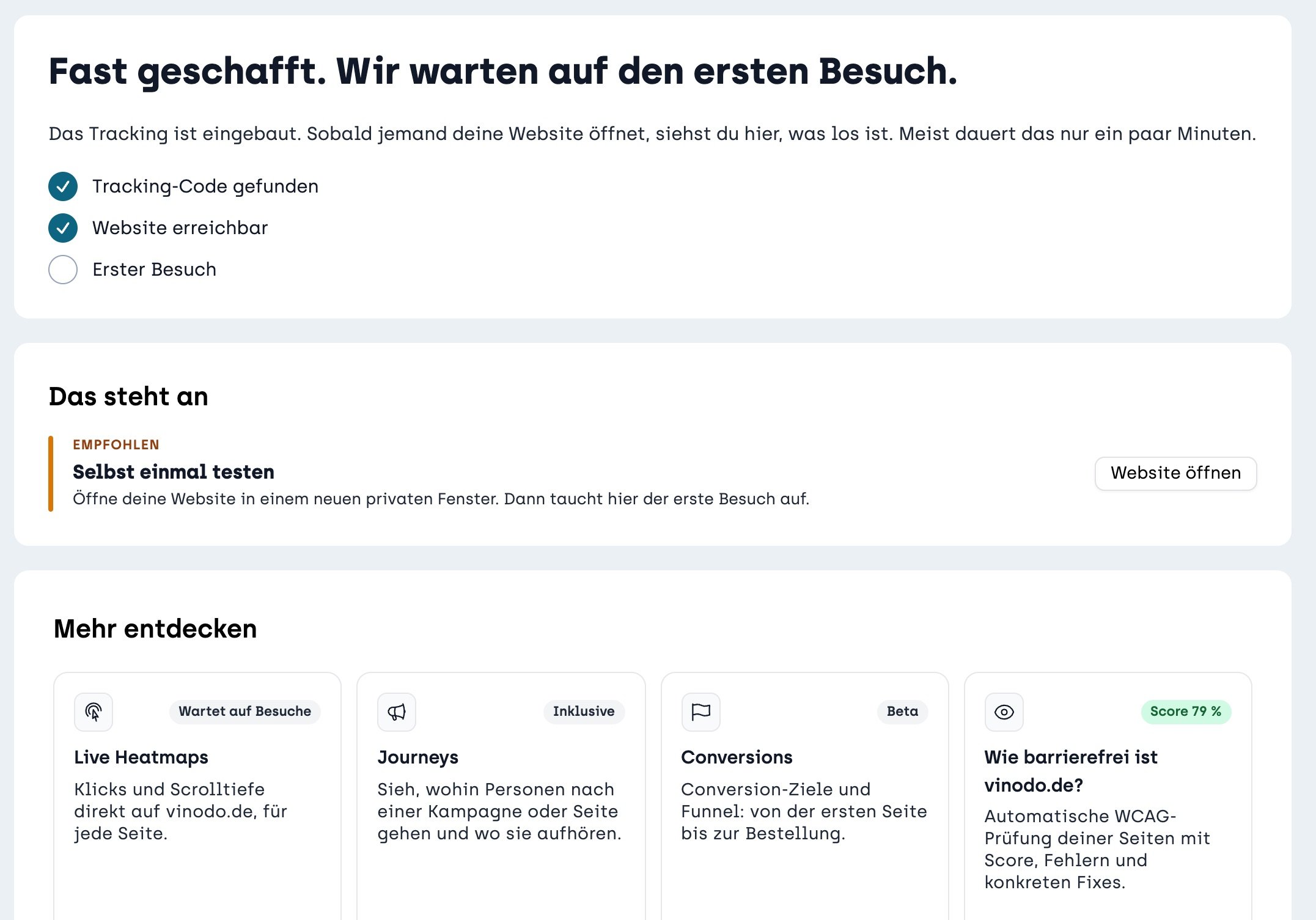
As soon as the snippet is found, you'll see “Almost there. We are waiting for the first visit.” Below that, sitebrunch ticks off what already works: “Tracking code found”, “Website reachable” and “First visit”.
You don't have to wait for someone to stop by. Just open your website yourself in a new private window. The first visit then shows up. It usually only takes a few minutes.
The first days
As soon as visits come in, the top says “The first days are running.” The “People” tile counts how many people have been on your website since the first day. Comparisons with the previous week start from the second week.
On the right you see how many people are online right now. Under “This week”, sitebrunch shows you what stands out as soon as there is a full week of data. Until then, it says how many days are left.
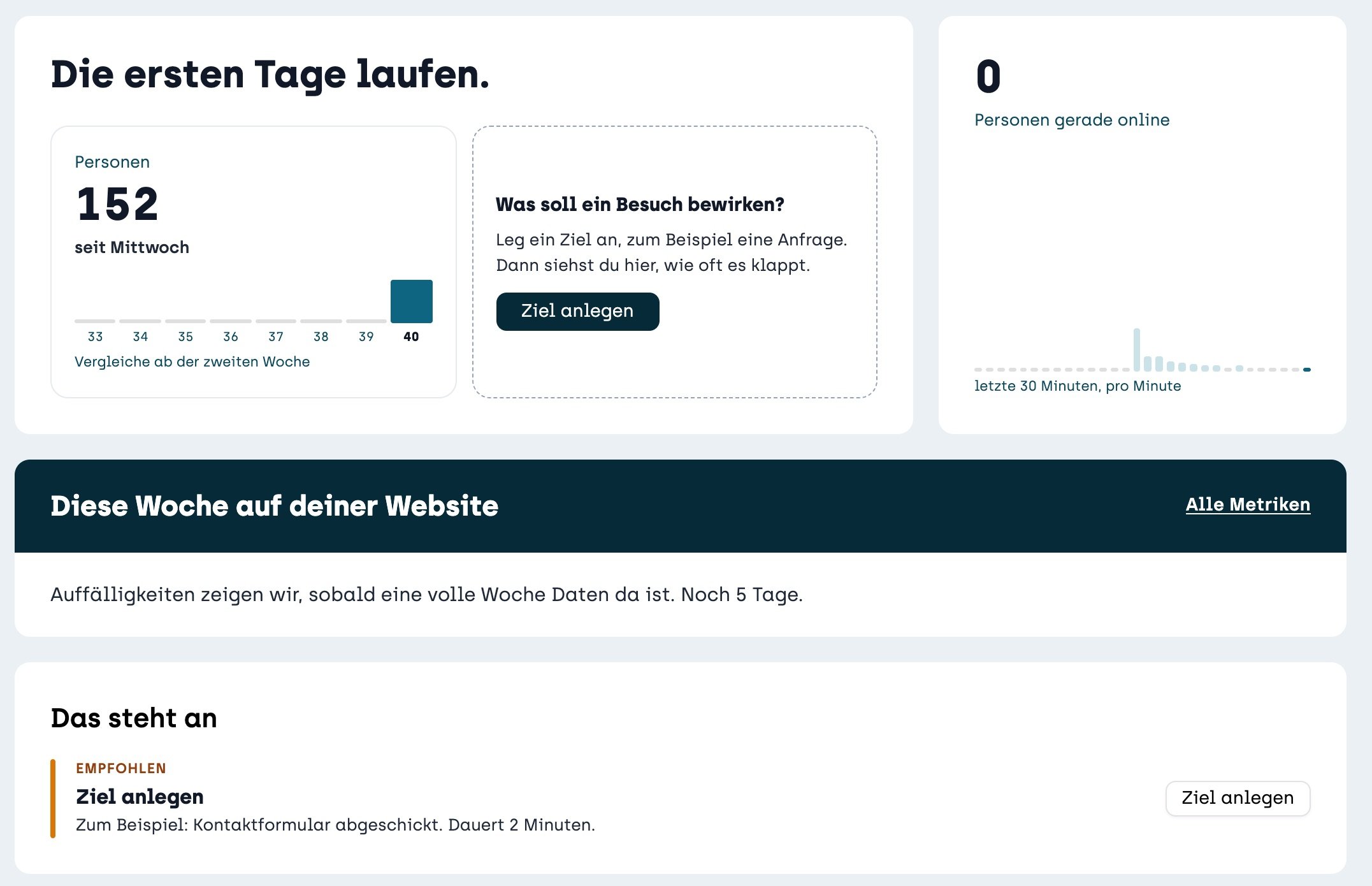
Next to the people, the tile asks you “What should a visit lead to?”. This is where you create your first goal, for example an order or a submitted contact form. Then you see in the overview how often it happens.