Skip to content

All your usability data at your agent's fingertips

Ask your AI agent what is happening on your website. It pulls visits, journeys, clicks, scroll reach and conversions straight from sitebrunch.

What your AI agent knows

Metrics

Visits and trends

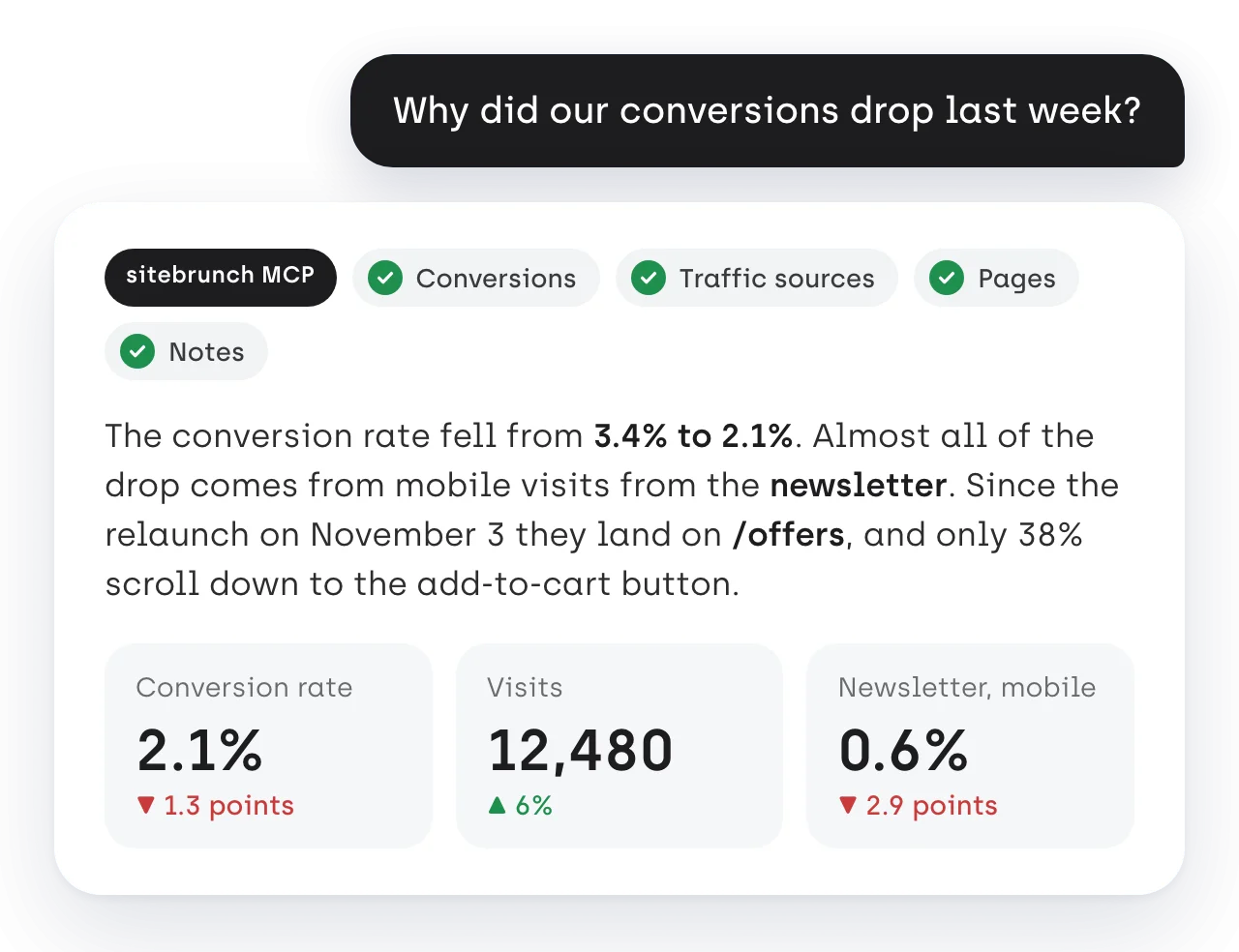
Visits, visitors, page views, bounce rate and visit length, per hour or day and compared with the period before.

Campaigns

Sources and campaigns

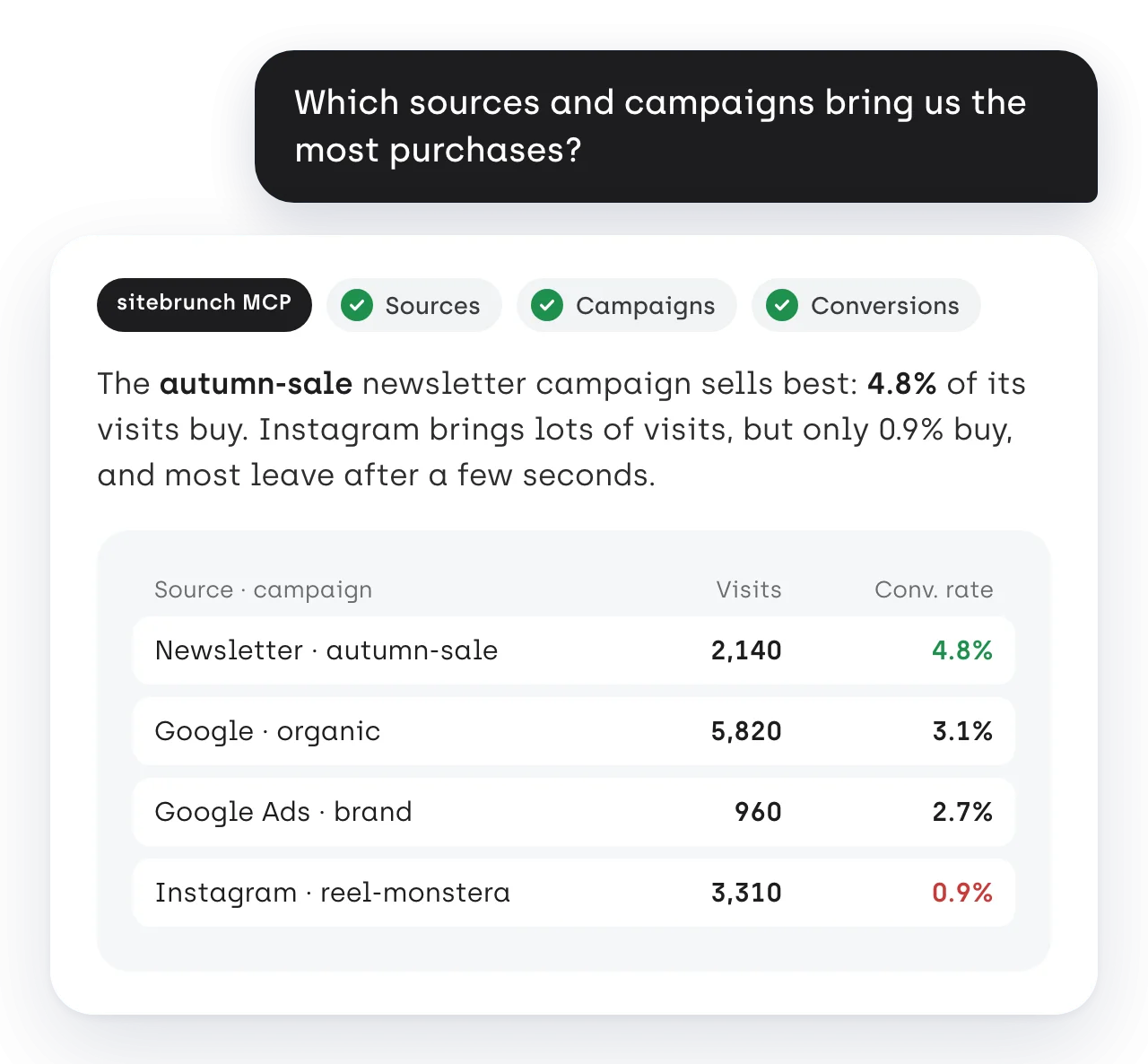
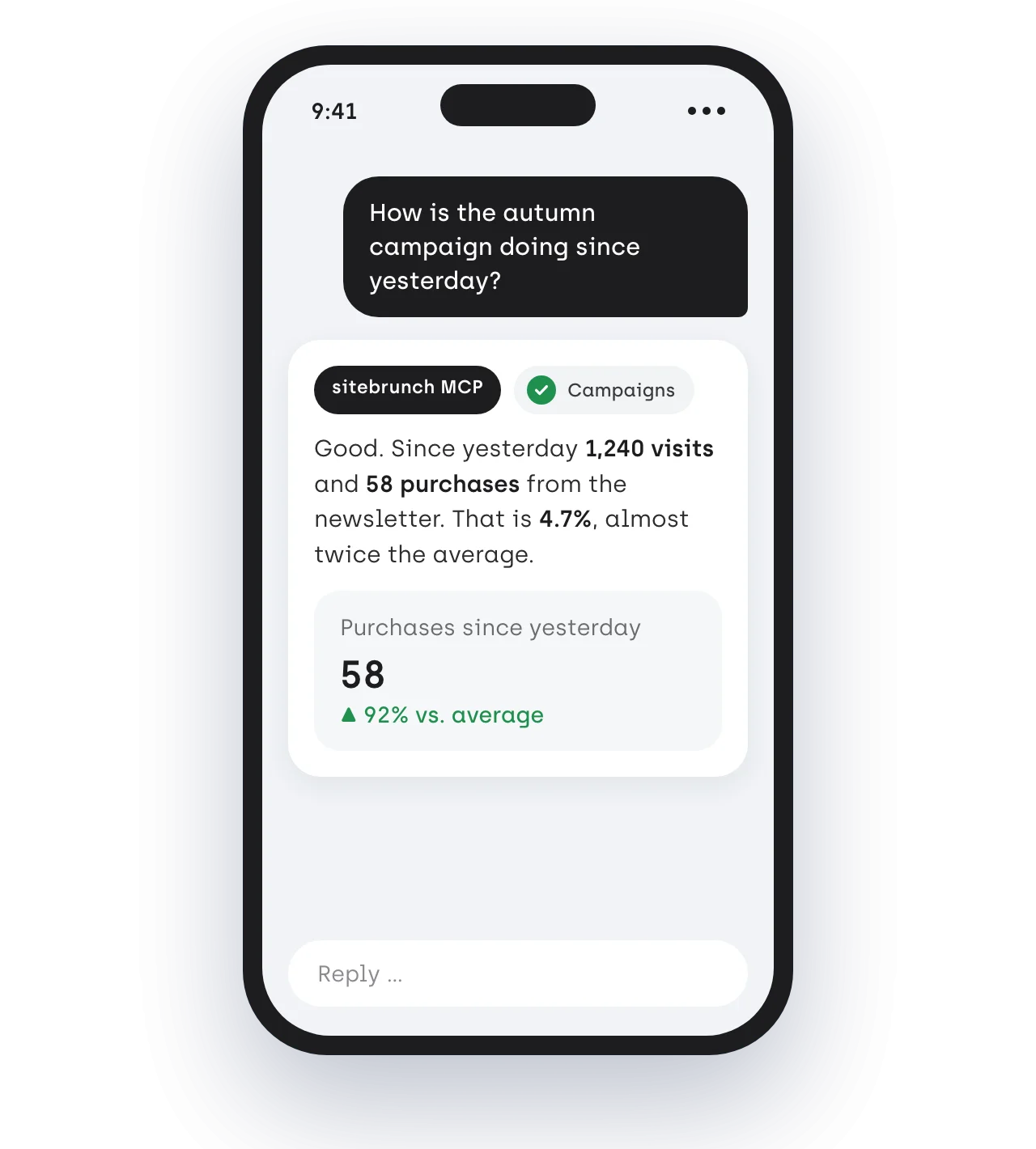
Visits, engagement and conversions per traffic source, campaign or medium. Your agent sees which channel really sells.

Journeys

Paths through your website

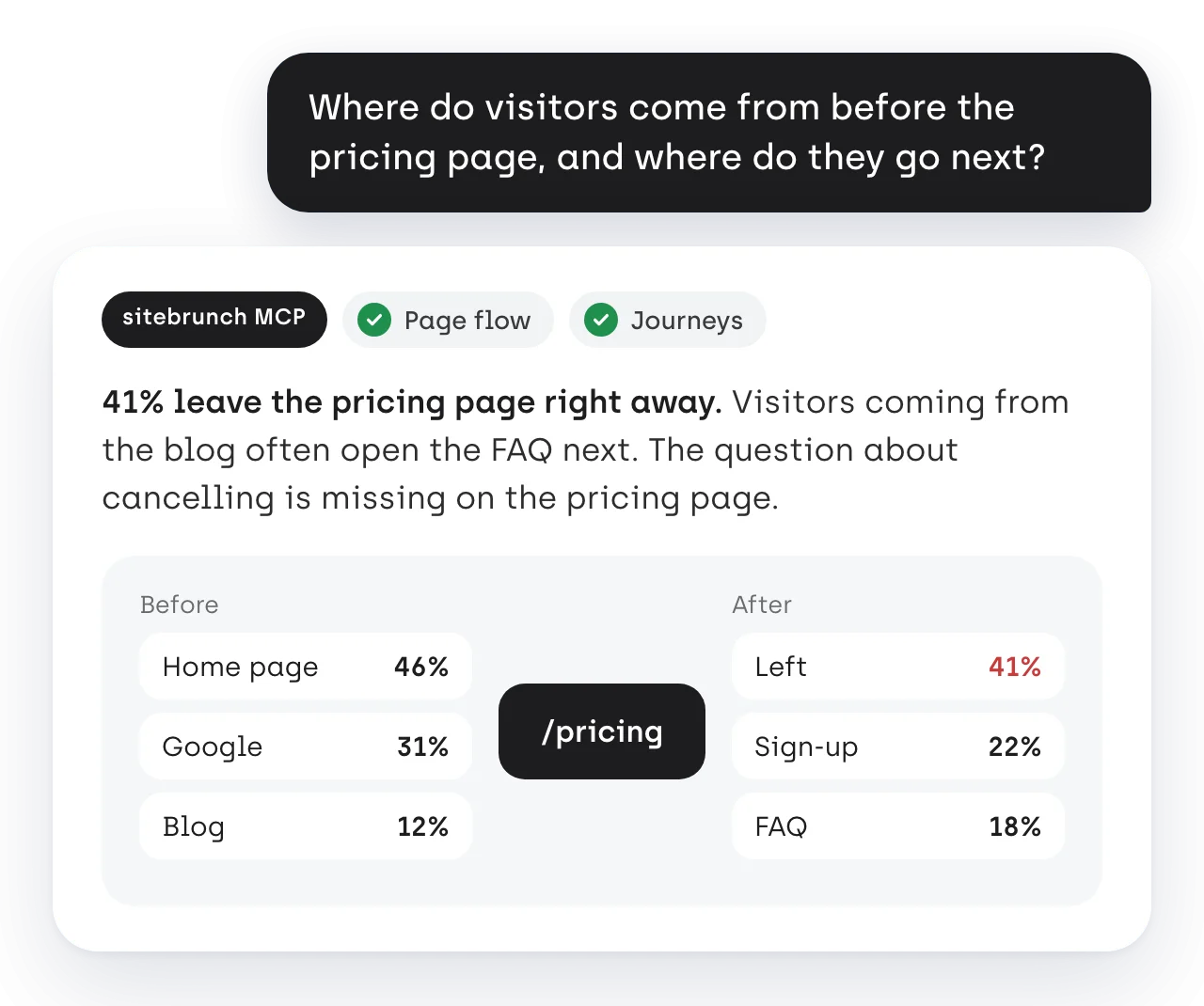
The most common paths through your website and the page flow of every page: where visits come from and where they go next, outbound links included.

Funnels

Funnels on request

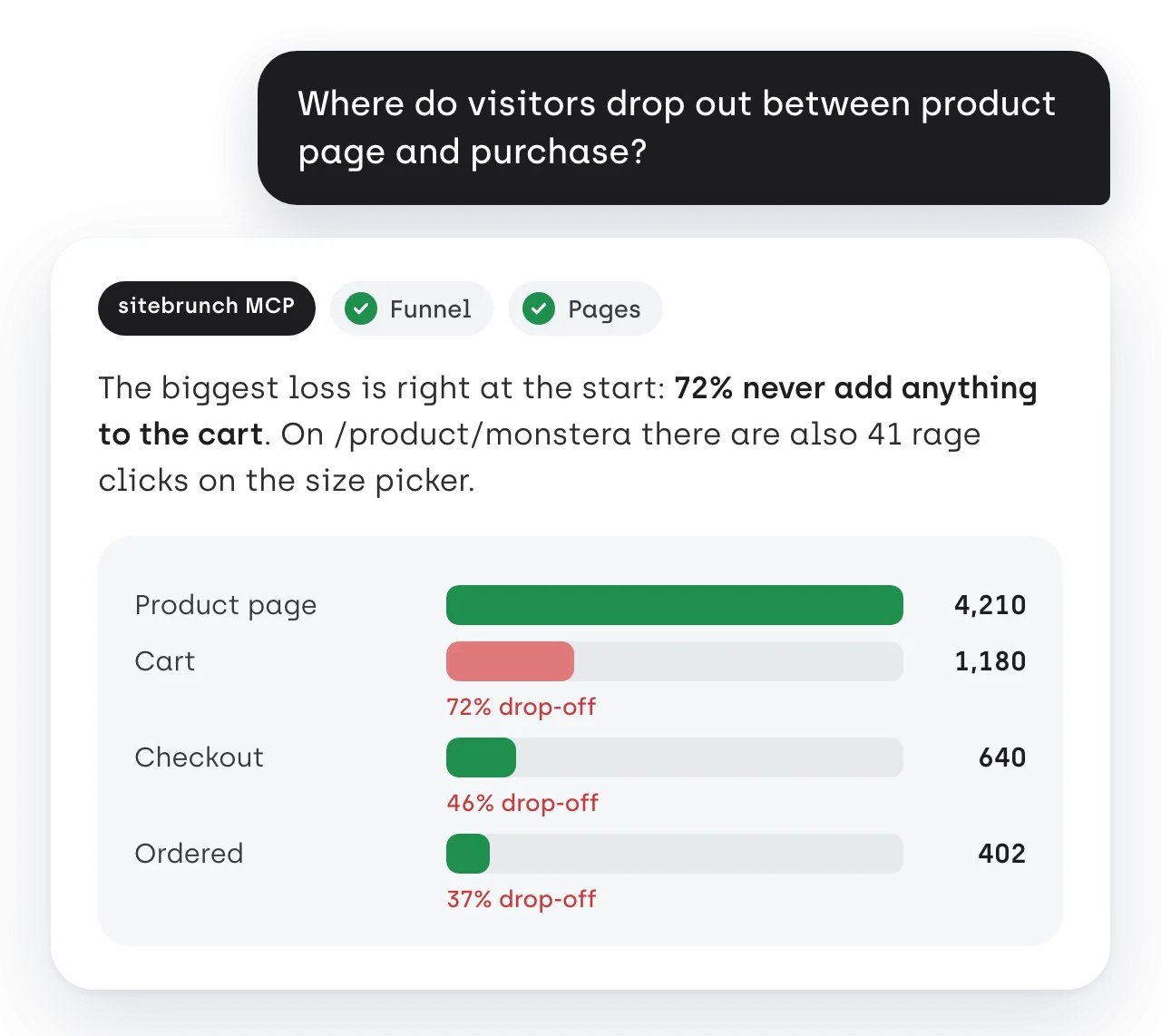
Your agent builds funnels over any pages right in the request and shows how many visits are lost at each step.

Heatmaps

Clicks and scroll reach

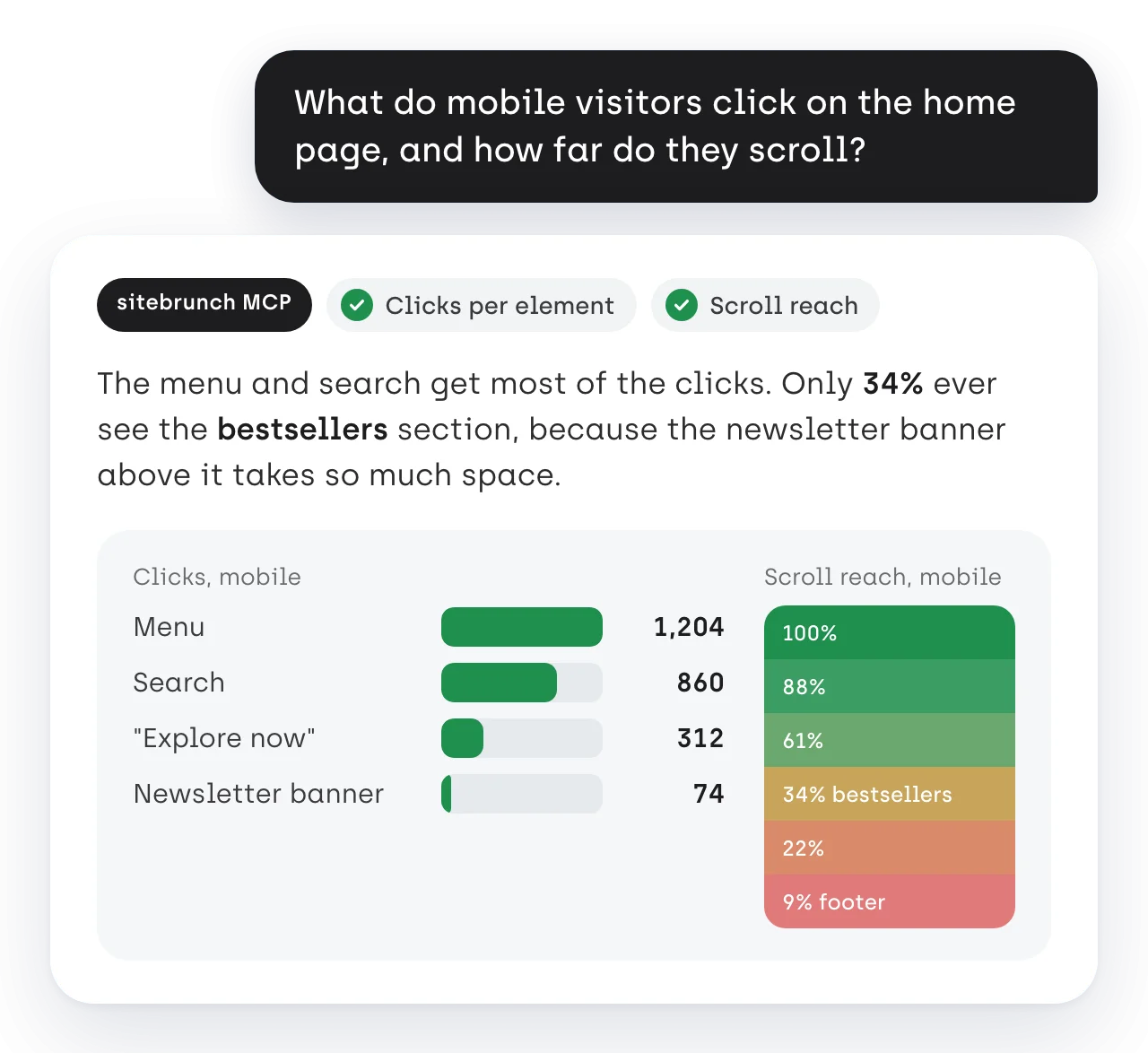
Clicks per element of a page and how far down page views get, in 5% steps and per device. Plus rage clicks per page.

Conversions

Goals and conversions

Goals, conversions, conversion rate and value with attribution, plus the single goal events in order of time.

Notes

Notes on the charts

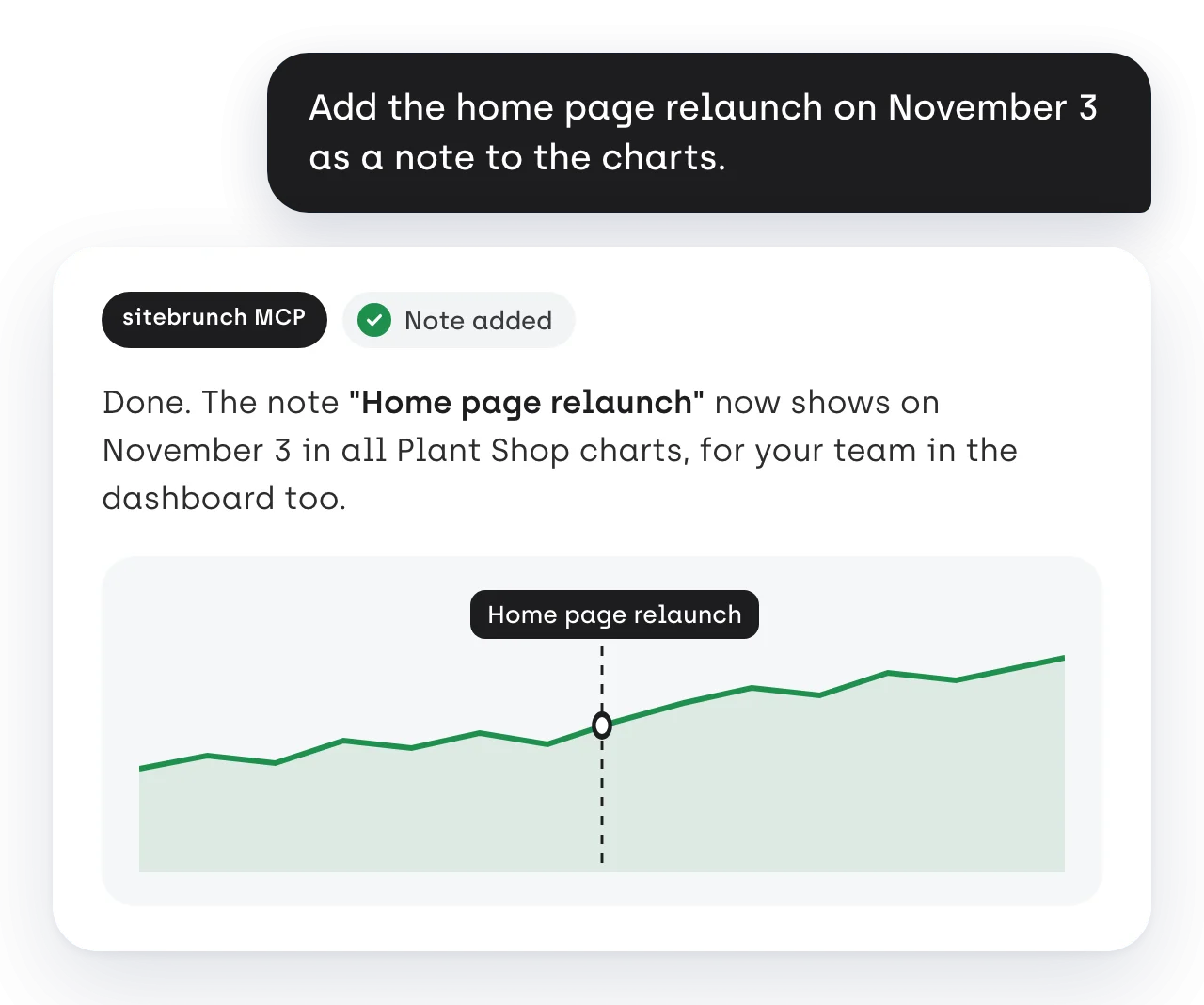
Your agent reads the notes on your charts and adds new ones, such as a relaunch or the start of a campaign.

Everyday examples

Did you know?

Connected in three steps

Step 1

Add the server

Add the MCP server with the address https://mcp.sitebrunch.com/ to your AI agent. You copy the right configuration from your sitebrunch dashboard.

Step 2

Sign in and choose access

On first use your browser opens. You sign in with your sitebrunch account and decide whether the agent may only read or also write.

Step 3

Name the project and ask

Tell your agent which sitebrunch project to work with. Then ask your questions in the chat as usual.

Ready to ask your UX data?

Try every feature free for 30 days. The trial starts as soon as the code snippet is on your website.

Try free for 30 days (opens in a new tab)

Questions and answers