
The “End” view starts at the goal and looks back: where do the visits that bought something come from? This article also shows you how to look at the path of a single visit.
Last updated: October 3, 2026
Requirements
You have created at least one goal, and it was reached in the period.
Read a goal backwards
Switch to the “End” view at the top. sitebrunch immediately shows you one of your goals, on vinodo.de “Purchase”. If it says “This target is not saved” at the top, click “Save”. It then appears on the left under “Saved targets”.
With “Add target” you choose another goal. A page or a section also works, for example if you want to know how people get to your contact page.
Read the board
You read the board from right to left. On the far right is the goal with the number of visits with a conversion. Before it is the page on which the goal was reached, then the page on which the visits started.
The column “Where from” on the far left shows the source or campaign of these visits. On vinodo.de, 57 of the 87 purchases come from the newsletter, 14 from direct visits and 7 from Pinterest.
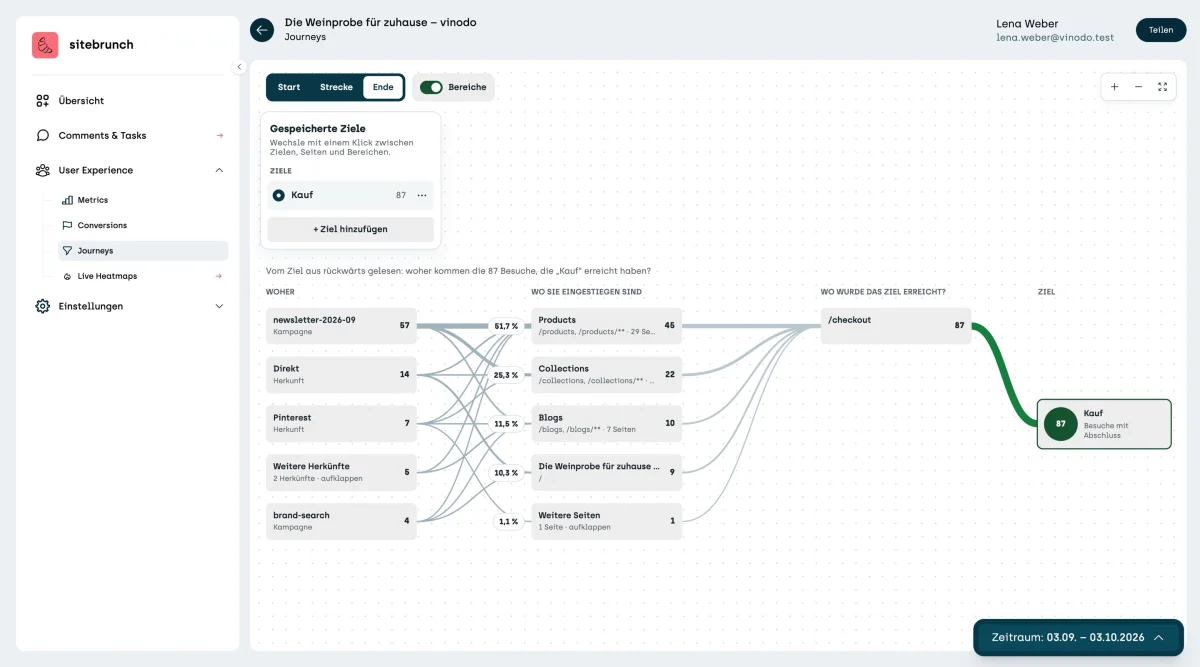
sitebrunch groups small sources under “Other origins”. With “expand” you see them one by one.
Look at the path of a single visit
Sometimes a single example helps more than any number. To see one, click a goal on the left in “Conversions” and then “See all conversions” below the chart.
Click “Show details” for a conversion. On the right you then see value, device, country and the visits up to the conversion. Click “Open in journeys” there.
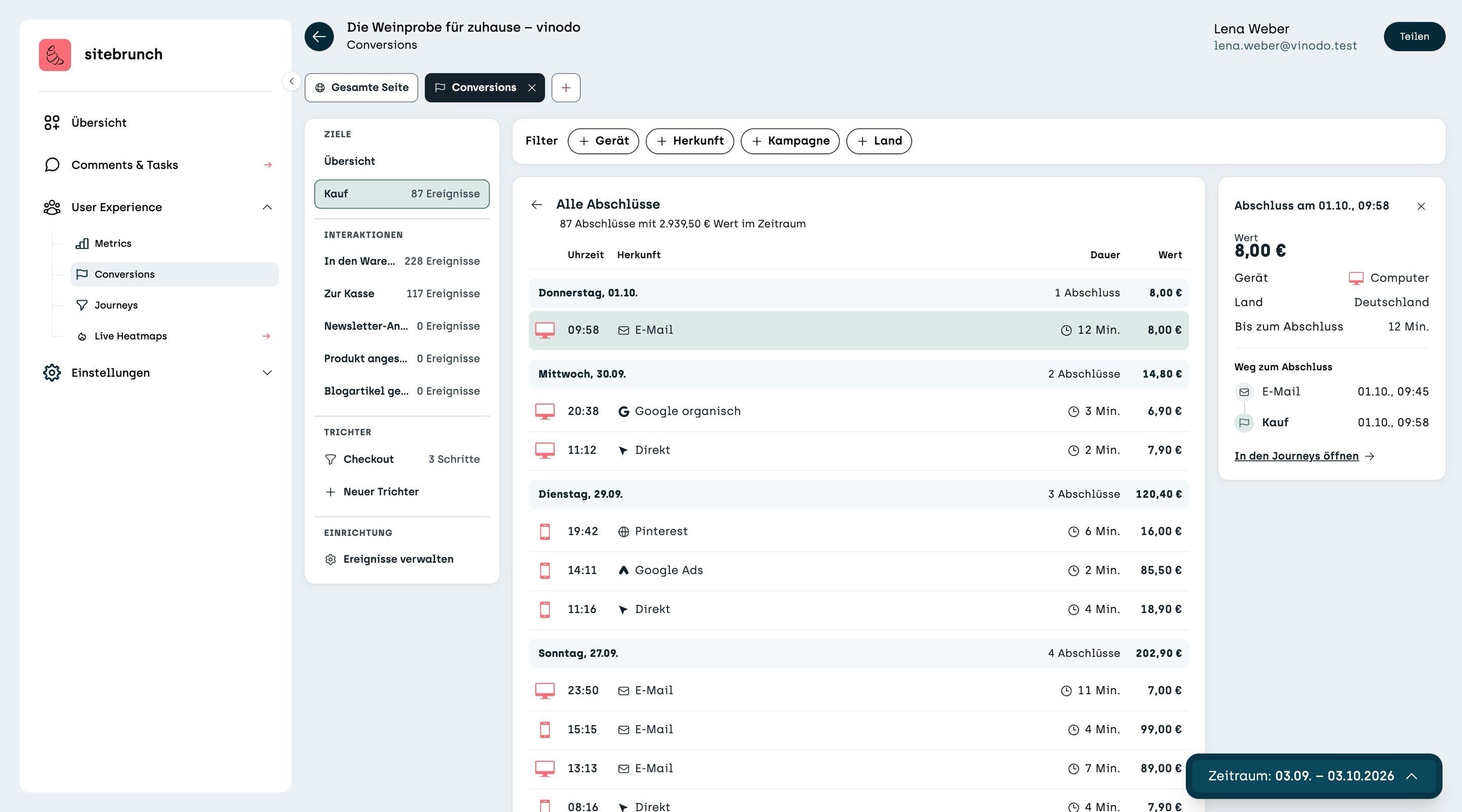
The “One visit's path” view shows every page of this visit in the right order, with the time spent on each page. If the person had other visits before, you see those too.

On vinodo.de, the person comes through the newsletter, reads two blog articles and looks at several wines before buying after a good ten minutes. Paths like this show you which content helps people decide.