
How often does an interaction happen, on which pages, and what do visitors do afterwards? This article shows you what you learn about a single interaction or a single goal.
Last updated: October 3, 2026
Requirements
You have created at least one interaction.
Open an interaction
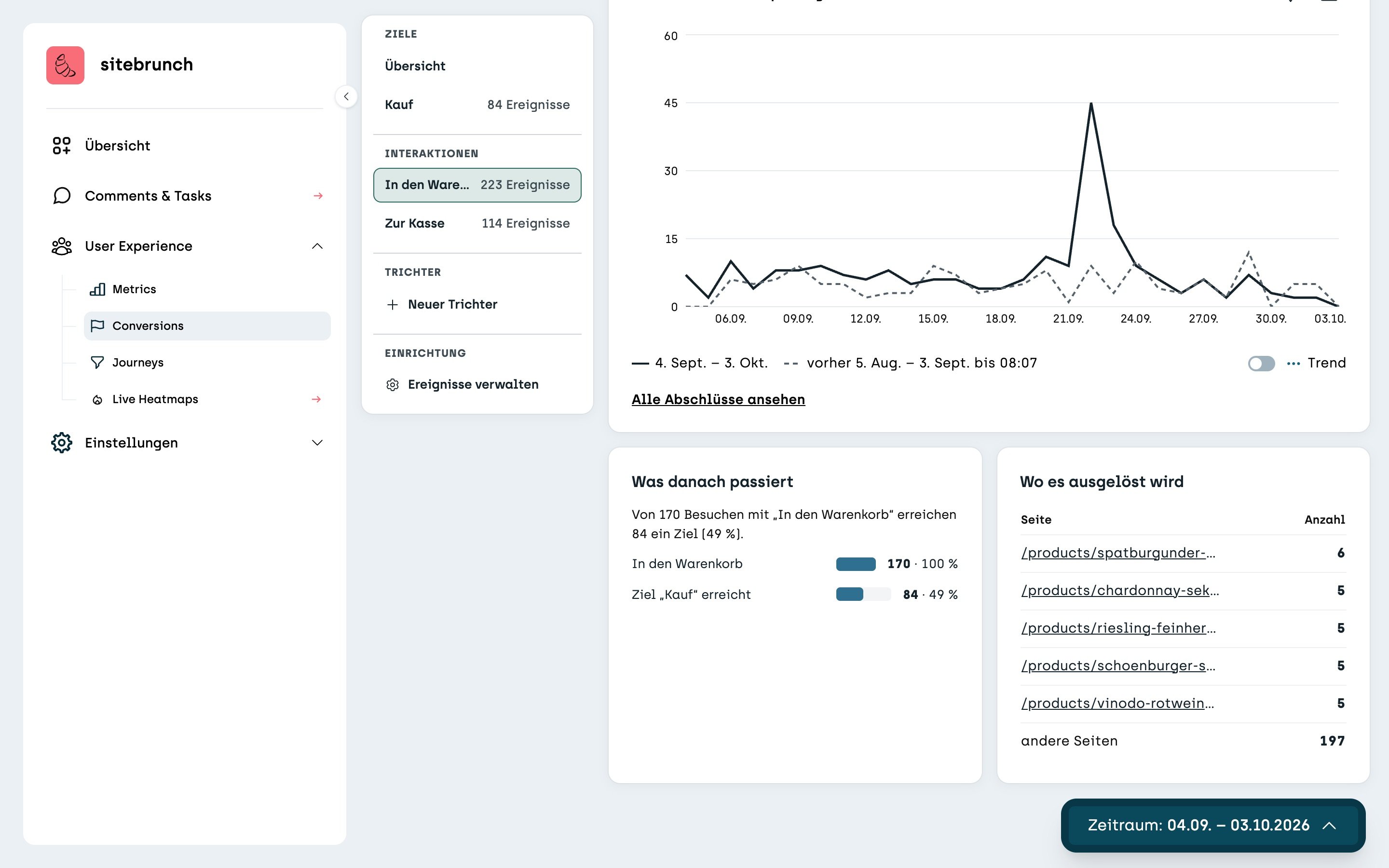
In Conversions, under “Interactions” on the left, click an interaction, for example “Add to cart”. At the top you see four tiles:
“Count” counts how often the interaction was triggered.
“Visits with interaction” counts each visit only once, even if something was added to the cart several times during it.
“Reached a goal afterwards” shows how many of these visits reach a goal afterwards.
“Time to conversion” shows how long it typically takes from the interaction to the goal.
The first two tiles only count the interaction itself, so you don't need a goal for them. The other two also show whether visits with this interaction go on to reach one of your goals.
What happens next
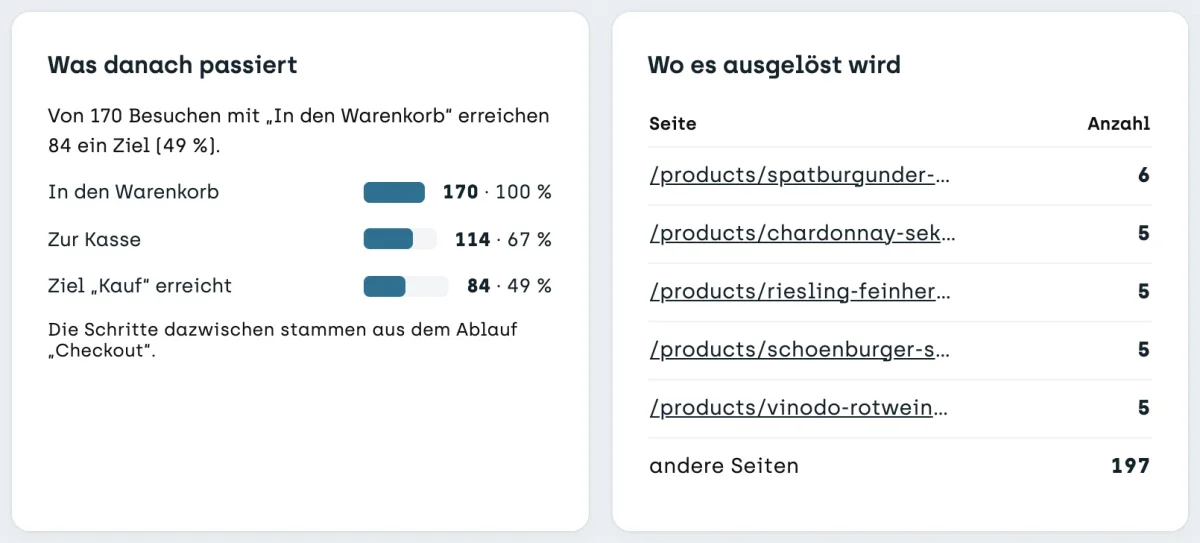
Further down, “What happens next” shows how many visits take which next step after the interaction. On vinodo.de, of 170 visits with “Add to cart”, 114 go to the checkout and 84 buy. If you have created a funnel, sitebrunch takes the steps from it.
Next to it, “Where it is triggered” shows on which pages the interaction happens most often. This shows you which products end up in the cart most often.
Open a goal
If you click a goal under “Goals” on the left, for example “Purchase”, you see the same tiles and tables as in the overview, just for this one goal. At the very bottom, “Paths to this goal” leads to Journeys. There you see which campaigns and pages bring people to this goal.