Accessibility often sounds like a huge topic. Full of laws, guidelines, testing catalogs, and ideally an expensive external audit on top. But honestly: it does not have to be that complicated. With our kick-off audit you can get started yourself, even without experience.
That is exactly what we built the tool for.
You do not need prior knowledge. We guide you step by step
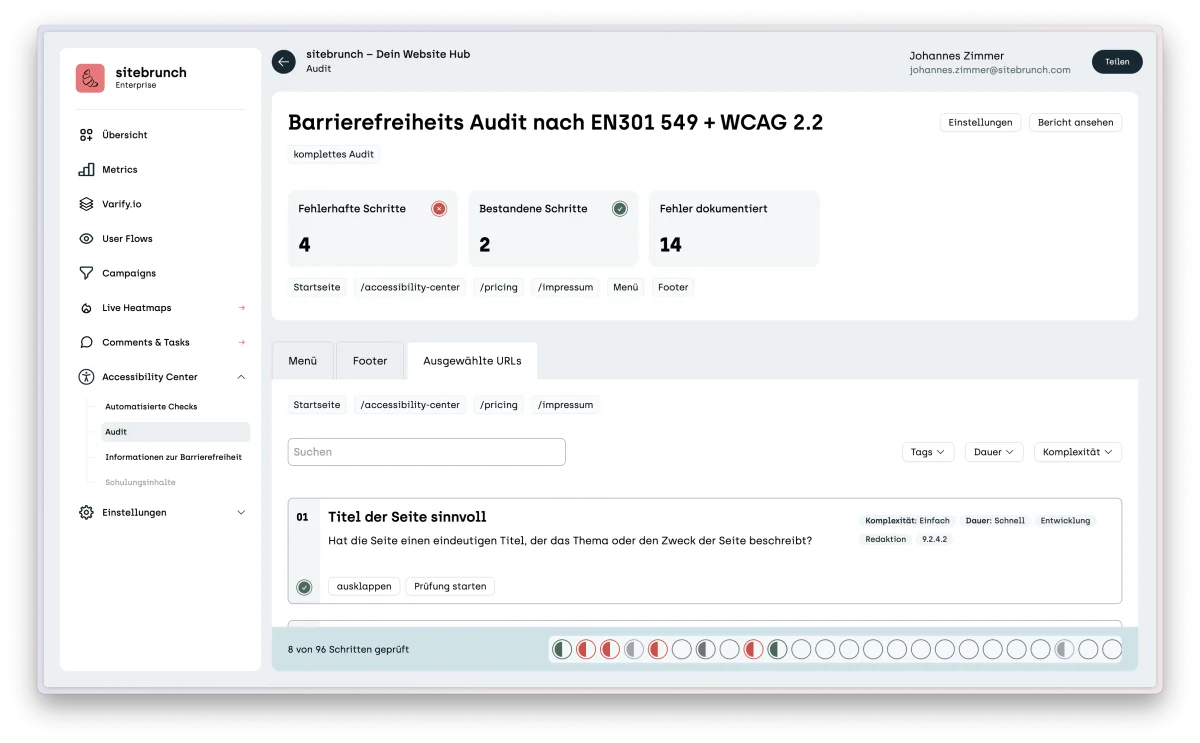
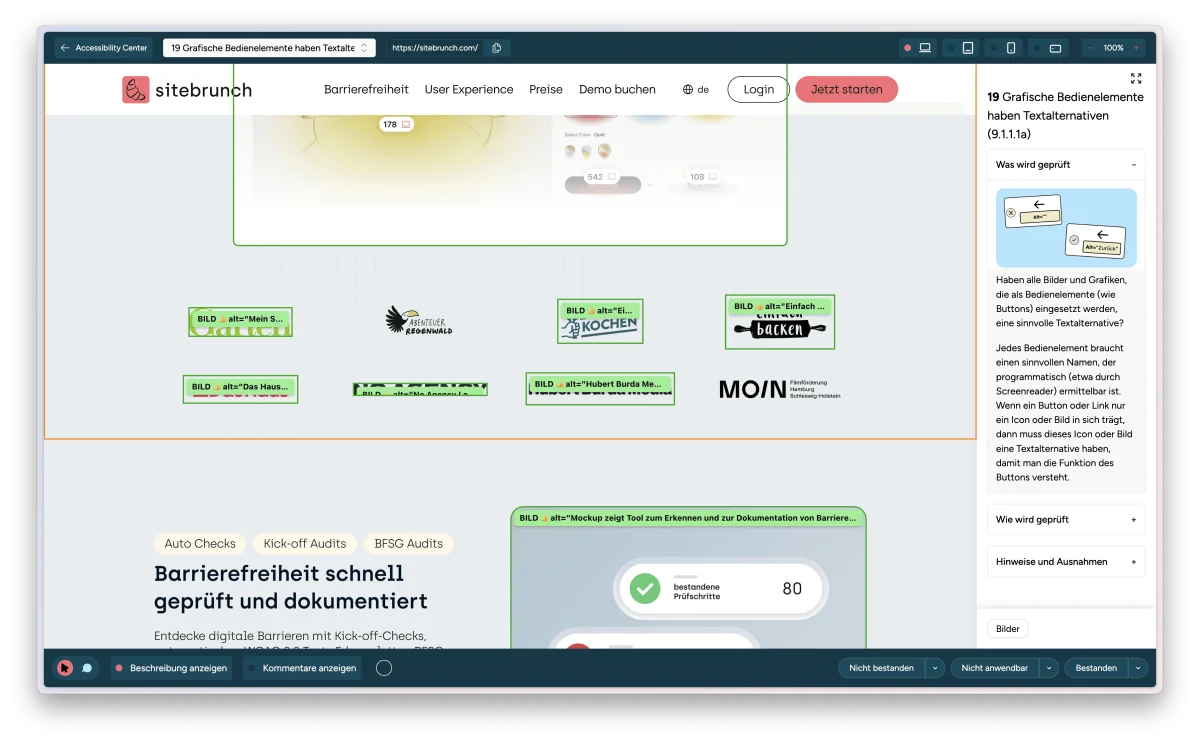
In the kick-off audit and Accessibility Center you will find everything you need to test your website yourself. You do not have to be a pro, you do not have to know the WCAG by heart, and you do not need to know how screen readers work. The tool takes you by the hand. Every test step is explained precisely. Directly in the sitebrunch browser extension you see what you should do, what to look out for, and why it matters in the first place.
For example
How do I know whether a button can be reached with the keyboard
How do I check whether a form field is labeled correctly
What does contrast ratio actually mean and how do I find out whether it is right
We clarify all of these questions right while testing. Step by step, clearly explained, without technical overload.
The sitebrunch browser extension is your personal accessibility coach
As soon as you start the kick-off audit, you are guided through the individual steps. You click through the page, receive hints and visual markers, and can spot barriers right away. No copy and paste. No jumping back and forth between tools. Everything happens directly in the context of your website.
And if you ever get stuck, tooltips, examples, short explanations, or direct contact with us will help you out.
Takeaway: digital accessibility is no longer a black box
Accessibility should be accessible for everyone. Including you, even if you have tended to avoid the topic. With the kick-off audit, you can take the first step yourself.