
Turn on a weekly email summary of the most important insights about your project.
Last updated: June 3, 2026
Requirements
You have an account and can log in.
You have at least the Solo plan.
You have created a project for your website.
Turn on notifications
This is how you turn on the notification:
Open the project: First open the project you want to get the summary for.
Go to the settings: In the left navigation, click “Settings” and then choose the “General settings” tab.
Turn on the weekly summary: Scroll down until you see the toggle “Weekly summary of insights”.
Switch this toggle on.
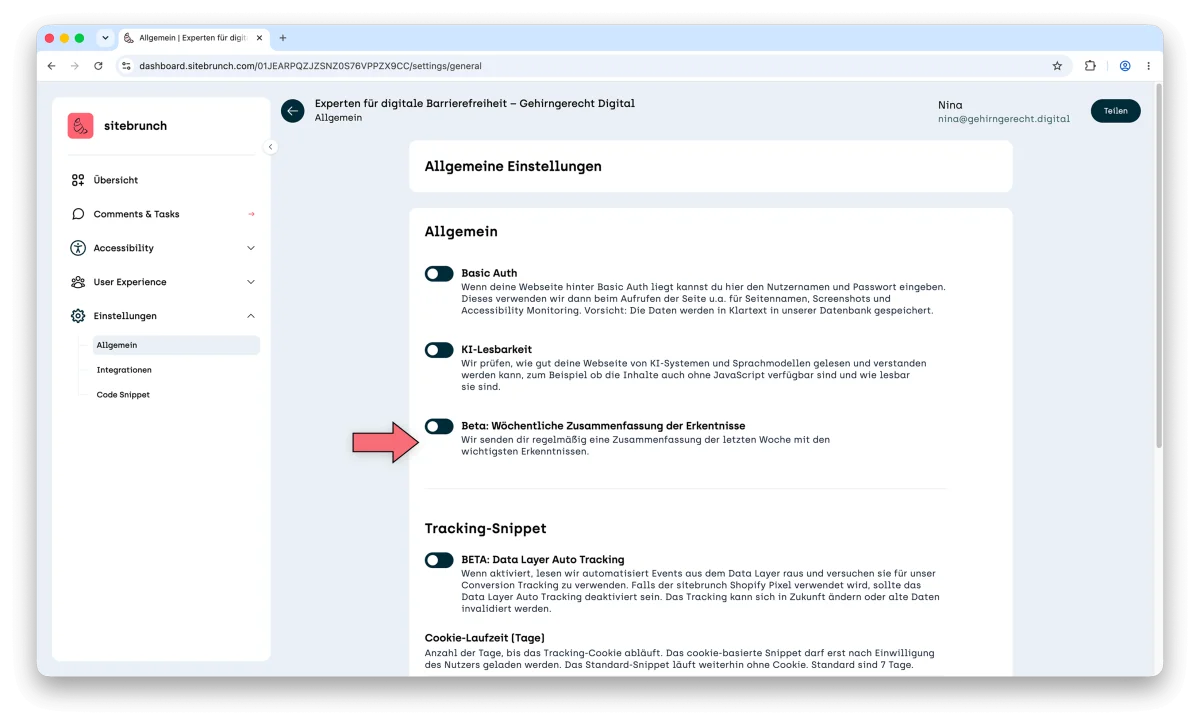
Once the toggle is on, sitebrunch Accessibility automatically sends you an email once a week that sums up the most important insights about your project.
If you no longer want to get the emails, you can switch the toggle off again at any time.