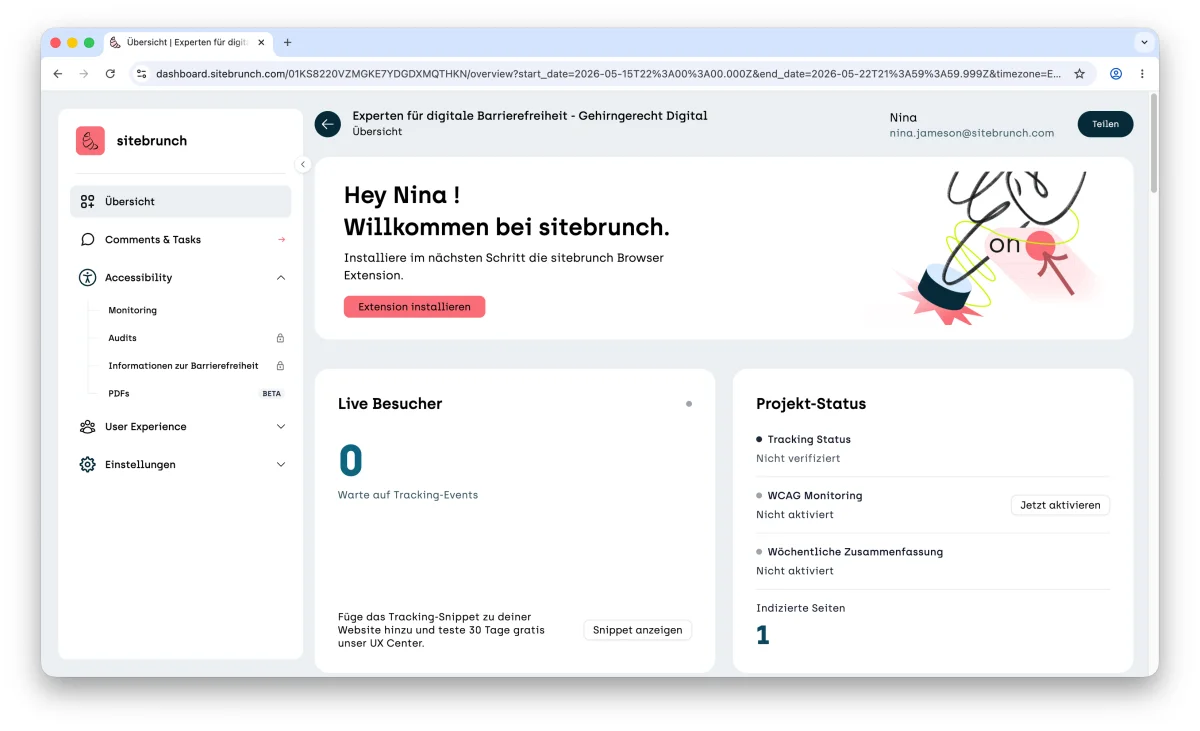
Before you can check websites and PDFs for accessibility, you need to create a project. This article shows you how.
Last updated: June 4, 2026
Requirements
You have an account and can log in.
Create a project
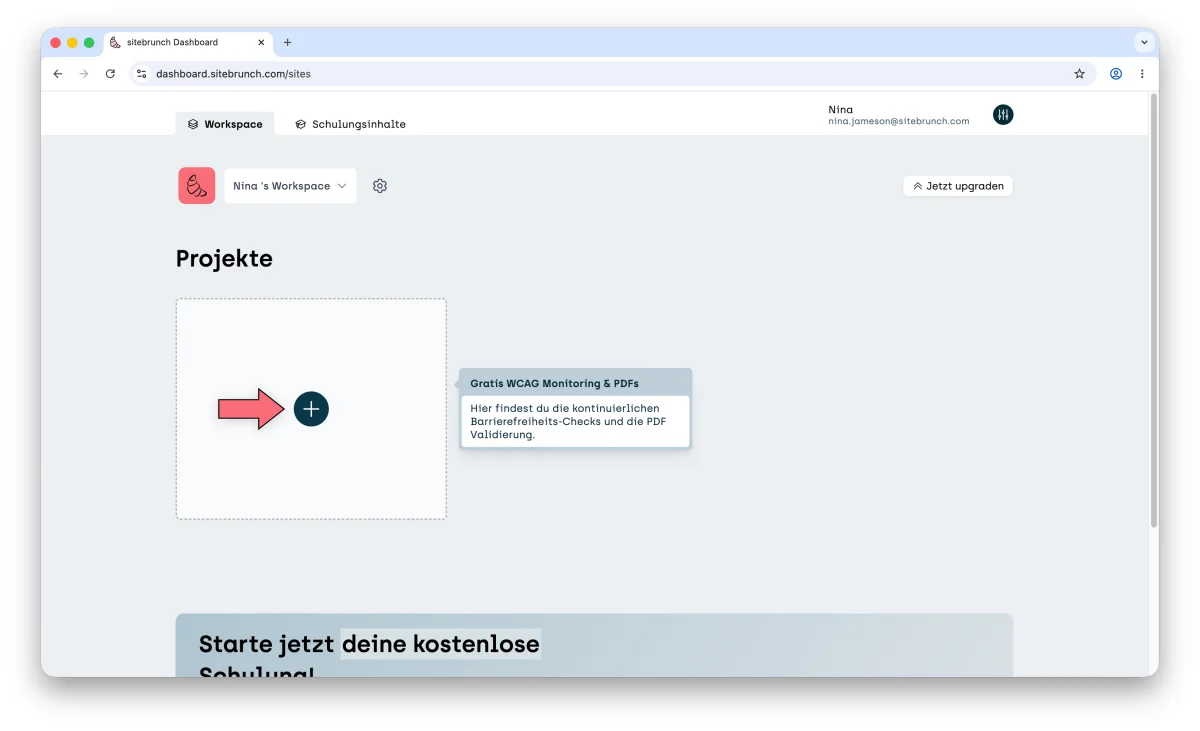
After you log in to sitebrunch Accessibility, you land in your workspace. This is where you create new projects.
Under the heading “Projects”, click the plus icon button “Add new site”.
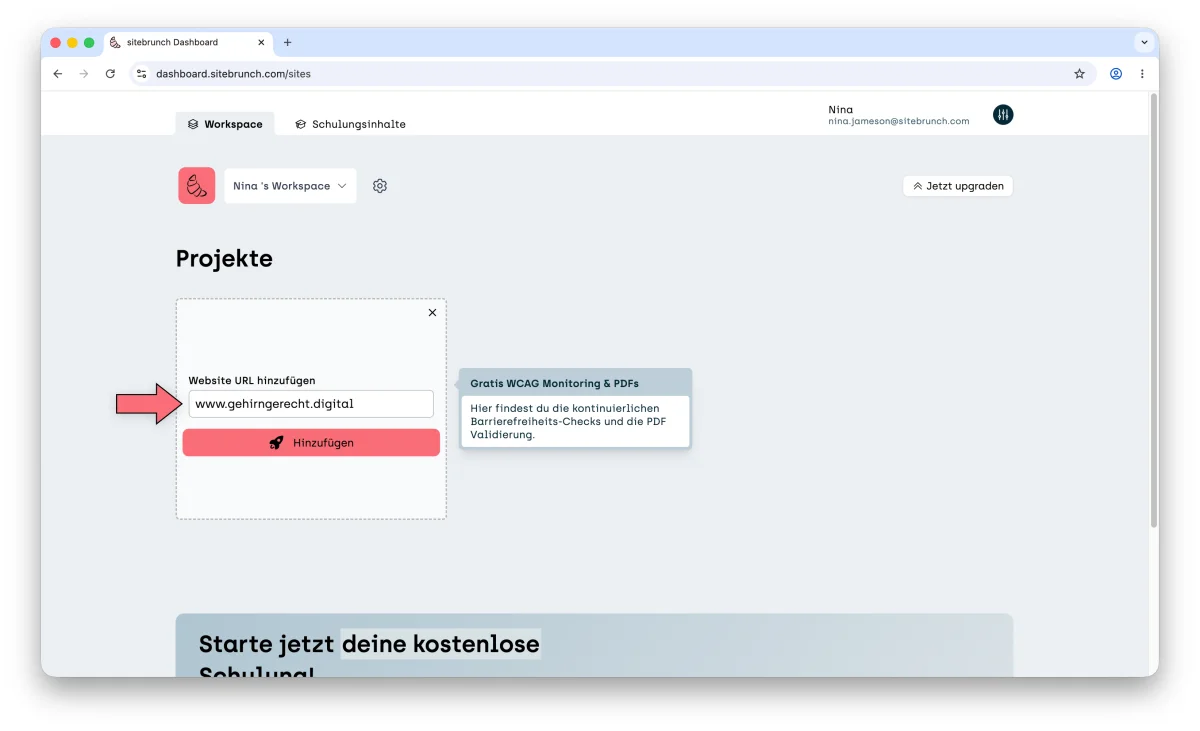
Then enter the URL of the website you want to test in the input field. Confirm the URL with the “Add” button.
sitebrunch Accessibility loads all relevant information in the background. This can take a few seconds. Your project is ready to use as soon as a card for your project appears.
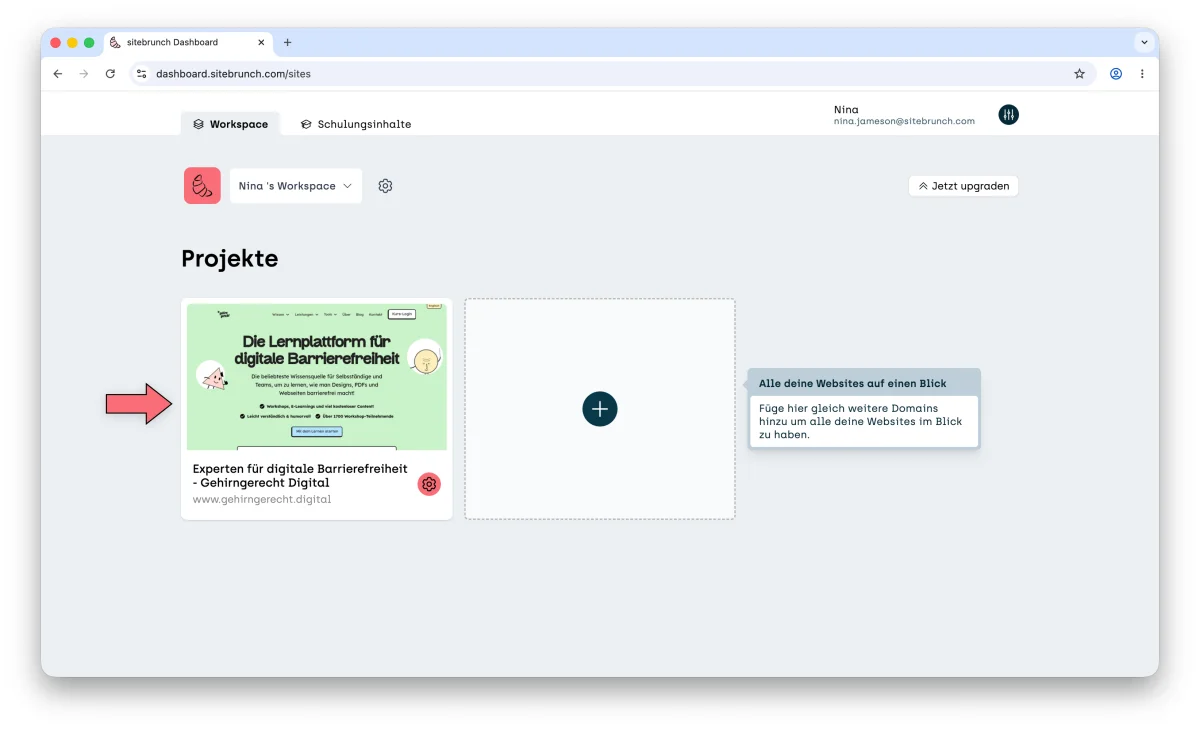
Click the project card to open the project overview.